
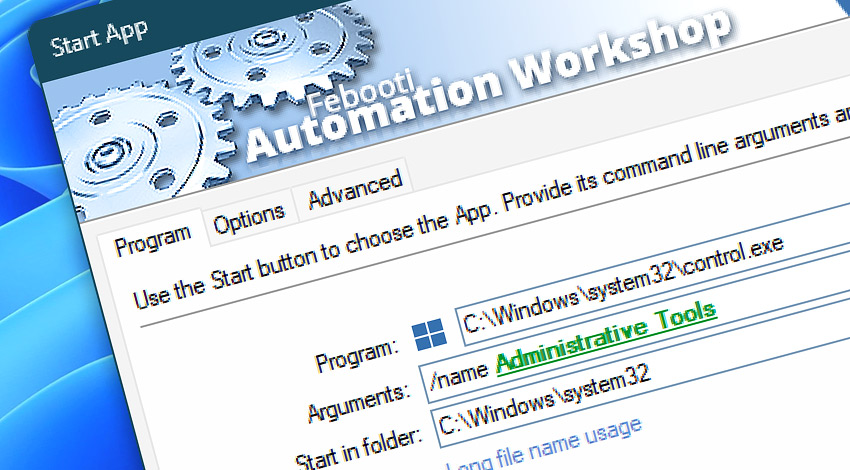
Automation Workshop includes the Start App Action that automatically executes a specified application with optional command-line arguments. It works just as if a user had launched the application by clicking its icon on the Desktop or in the Start Menu.
The program name and its parameters can be specified using dynamic variables from Triggers and other Actions. The Start App Action cannot execute Windows command-prompt commands. For that, use the Run CMD Command Action to access the cmd.exe command-line interpreter.
Features & highlights
- Automatically execute any Windows program with optional arguments.
- Full support for multiple simultaneous users, each with a separate Desktop, in both Terminal Server and local/remote desktop scenarios.
- Apps can be started maximized, minimized, or even hidden. Command line arguments can be injected dynamically using a no-code visual tool—Variable Wizard.
- Applications can be started using any local or Windows Active Directory user credentials and will appear on the selected user's Desktop in a Remote Desktop Services (formerly Terminal Services) environment.
- Easily specify an application from the Start menu or directly from its location on a disk.
- Monitors the termination of application via its exit codes and proceeds accordingly.
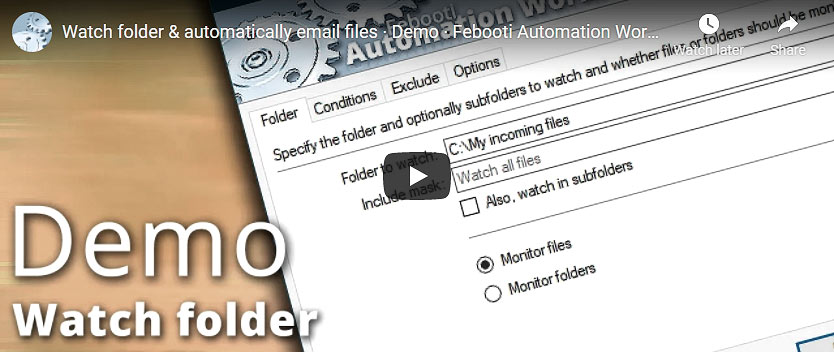
Usage examples
- The launch of apps or programs can be triggered by the built-in advanced Task Scheduler or by any other Trigger. For example, when a user logs in or off, a new file appears, or a file is uploaded into an FTP server, when a file is removed from an Amazon S3 bucket.
- A program can be started with a Windows Domain user account that does not exist on the local machine, allowing a non-domain computer to access domain resources.
- Extend the functionality of Automation Workshop by integrating third party applications into the Task design.
- Run an application, and then process its results using other Automation Workshop Actions.
- Prepare data with Automation Workshop, and then pass it to an external program.
Documentation
- Program · Enter the path and filename of an application, and specify the folder from which it will be executed.
- Options · Set program execution and termination conditions.
- Advanced · Define the program's startup state and exit code behavior.
Interconnect
- Start App integration—Variables (manipulate data dynamically within a workflow) and Events (recorded entries that detail the activity within the system).
- Effortlessly streamline your automation processes by visually connecting your workflow using Variable Wizard—a powerful tool to access all 1,000+ variables—system, network, Triggers, Actions, globals, web, and much more…
Quick access
To streamline your workflow creation, you can locate the Start App Action throughout the entire Automation suite's search tools—including the knowledge base, menu, and Add Action feature—using the quick «SA» shortcut.
More app options…
Automation Workshop offers a comprehensive set of Actions to monitor, control, and modify Windows application states and properties. These tools allow you to automatically start processes, manage running applications, and terminate them as needed.
- Terminate App · Overview
- Tweak App · Overview
- App Information · Overview
- List Apps · Overview
- Wait for App · Overview
- If App · Overview
- Process & App Monitor · Overview
More ways to Start…
- Action · Run CMD Command
- Action · Remote FTP Command
- Action · Remote SSH Command
- Action · Execute Script · PowerShell · JScript · VBScript · Batch files
- Action · Open Document
- Action · Start Task
- API · Run Task using API
- Remote Manager · Remote Operations · Remote deployment · Run Remote Tasks
- Interactive · Desktop Shortcut · Tray Icon · Command line
- UI · File menu · Tools menu
- Advanced fallback · On Task Error · On Action Error
- Post-execution events
Discover
Automation Workshop includes many more awesome Triggers and numerous Actions to aid you to automate any repetitive computer or business task by providing state-of-the-art GUI tools.
Help at your fingertips…
If you have any questions, please do not hesitate to contact our support team.