
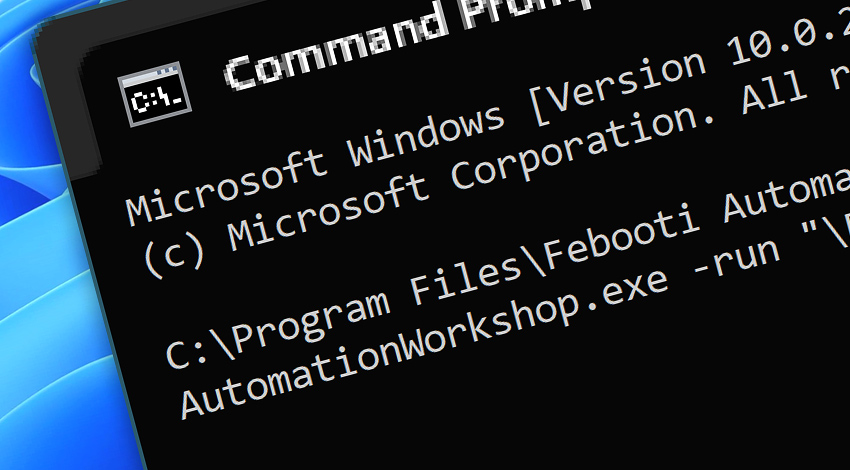
API · Run any Automation Workshop Task right from the command line. The Batch execution allows you to integrate Automation Workshop in the existing infrastructure of third-party applications, while preprocessing or postprocessing data that are then retrieved by or passed to other applications.
Features & highlights
- Execute one or multiple Tasks from the command line with optional parameters.
- Integrate Automation Workshop with external applications.
- Versatile syntax facilitates effortless Task execution—missing file path details are automatically prefilled. For even greater flexibility use both absolute and relative paths.
- Start an Automation Workshop Task from virtually any third-party application.
Examples…
To run a Task from the command line, batch file, or any external software, use simple syntax. The Task's path is shown in the Task Properties—General & Task tabs.
- C:\Programs\
Path\ AutomationWorkshop.exe -run "\Backup\ do.task" - C:\Programs\
Path\ AutomationWorkshop.exe -run "Backup\ do.task" - AutomationWorkshop
.exe -run "\Tasks\ Invoices\ prepare.task" - AutomationWorkshop -run "\Tasks\
Invoices\ count" - AutomationWorkshop -run "C:\Task Files\
Integrity\ do backup.task"
"C:\Program Files\Febooti Automation Workshop\AutomationWorkshop.exe" -run "\Tasks\Prepare invoices.task" The above syntax can be shortened… simply omit the Task's root folder and .task extension.
"C:\Program Files\Febooti Automation Workshop\AutomationWorkshop.exe" -run "\Prepare invoices" Parameters…
Optionally, it is possible to pass one or more parameters to a Task. Just enclose each parameter in quotes. Later, to access these passed values within the Task, simply use the Variable Wizard's Task Parameters feature.
- AutomationWorkshop -run "\Prepare invoices" "Param" … "Param"
- AutomationWorkshop -run "\Prepare invoices" "*.pdf" "C:\My invoices" "confirm@sales.local"

Run Actions…
- Start Task · Overview · Variables & Events
- Start App · Overview · Variables & Events
- Run CMD Command · Overview · Variables & Events
- Remote FTP Command · Overview · Variables & Events
- Remote SSH Command · Overview · Variables & Events
- Execute Script · Overview · Variables & Events
- Open Document · Overview · Variables & Events
More ways to Run…
- Remote Manager · Remote Operations · Remote deployment · Run Remote Tasks
- Interactive · Desktop Shortcut · Tray Icon
- UI · File menu · Tools menu
- Advanced fallback · On Task Error · On Action Error
- Post-execution events
Discover
Automation Workshop includes many additional Triggers and numerous Actions to help automate repetitive computer or business tasks using state-of-the-art GUI tools.
Need a helping hand?
If you have any questions, please do not hesitate to contact our support team.