
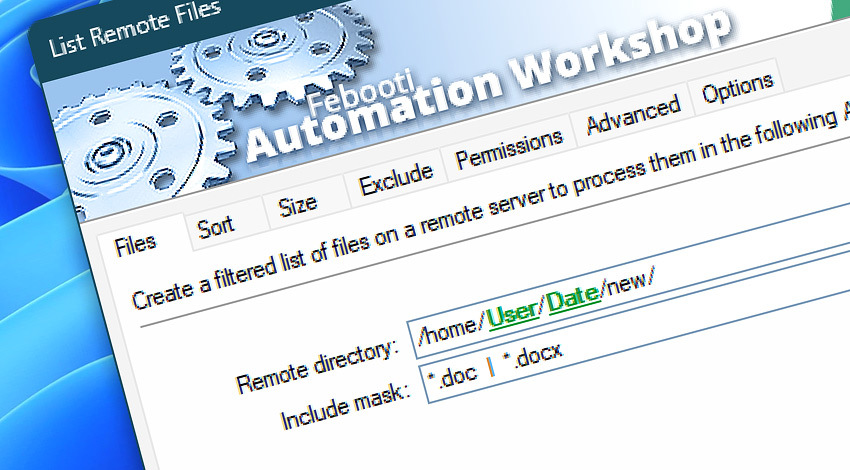
Automation Workshop includes the List Remote Files Action, a no-code tool for creating filtered and preformatted lists of files and directories on a remote server. The resulting file lists are very useful for batch processing of many files and folders in the subsequent Actions.
Features & highlights
- Create a list of files and folders for a directory on a remote server.
- Filter the file list based on file name or file type.
- Sort the file list based on file names, extensions, path, size, or file modification timestamp.
- Exclude files that are smaller or bigger than a certain limit.
- Include files that are modified on a specific date range, e.g., before some date, after some date, or in between two dates.
- Filter files based on owner, group, or permission information.
- Tailored remote file listings—exclude specific directories to focus on relevant ones across various protocols.
Usage examples
- List files on a server, to process files one by one using the For Each Action combined with more than 100 no-code Actions.
- List files on FTP, SFTP, or FTPS servers on schedule, and send the list by email.
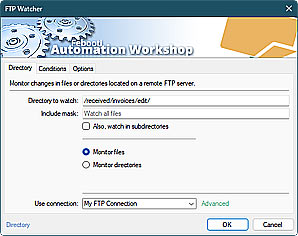
- Watch a remote FTP, SFTP, WebDAV, Amazon S3, Google Cloud Storage, and DigitalOcean Spaces server for directory changes and list the remote directory.
- List an Amazon S3 bucket, loop through the file list, and compute checksum on each file.
- Add a prefix or suffix to filenames to create lists that are easy to use within batch files, scripts, or documents.
Documentation
- Files · List all or specific files in a remote server directory.
- Sort · Sort file list by file name, type, path, size, or other criteria.
- Size · Exclude files that are smaller or larger than a certain limit.
- Exclude · Include and exclude files based on their path, timestamp, or age.
- Permissions · Include and exclude files based on their permissions.
- Advanced · Add prefixes and suffixes to filenames in the list.
- Options · Choose to list files or folders and whether to process subfolders.
Interconnect
- List Remote Files integration—with Variables (manipulate data dynamically within a workflow) and Events (recorded entries that detail system activity).
- Streamline your automation processes by visually connecting your workflow using Variable Wizard—a powerful tool to access all 1,000+ variables—system, network, Triggers, Actions, globals, web, and much more…
- Moreover, not only utilize List Remote Files variables, but also seamlessly integrate them with a diverse array of other file and folder variables from local disks, mapped drives, network shares, and remote servers—FTP, SFTP, WebDAV, Amazon S3, and more…
Quick access
To streamline your workflow creation, you can locate the List Remote Files Action throughout Automation Workshop's search tools—including the knowledge base, menu, and Add Action feature—using quick shortcuts like «LRF» or «LF».
Regular listing? Easy!
To create a list of files or folders on your local machine or Windows network share, check out the List Files Action.
For complete multi-server remote management (workflows, logs, etc.), use the remote tools and flexible deployment features.
Discover
Automation Workshop includes many additional Triggers and numerous Actions to help automate repetitive computer or business tasks using state-of-the-art GUI tools.
Just ask…
If you have any questions, please do not hesitate to contact our support team.