
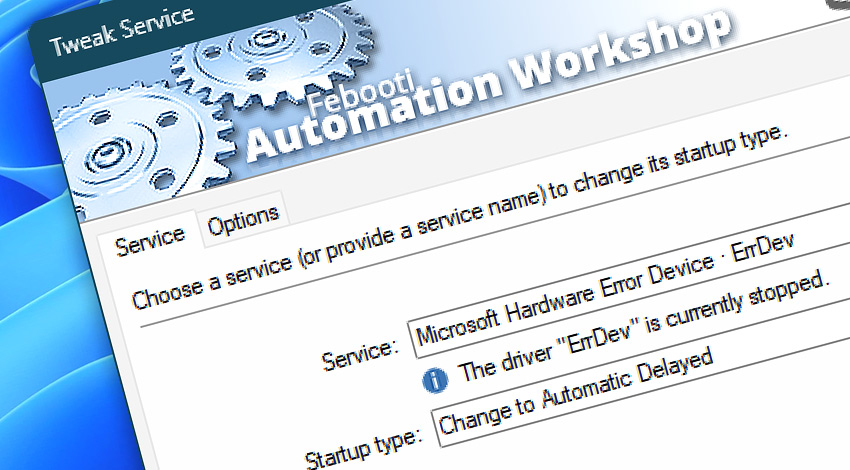
Automation Workshop includes the Tweak Service Action that enables you to create automated workflows that change the startup state for a Windows service (including kernel and file system drivers).
Usage examples
- Automatically change the startup state for a Windows service after it has been updated.
- Modify a kernel or file system driver startup state each day, hour, or minute.
- Deactivate the auto-start feature of a service in response to a specific Trigger event or by utilizing an API.
Documentation
- Service · Select a service or driver and its new startup state.
- Options · Set the Action state and custom display name, define automated error workarounds, and enable an option to log only critical errors.
Interconnect
- Tweak Service integration—with Variables (manipulate data dynamically within a workflow) and Events (recorded entries that detail system activity).
- Streamline your automation processes by visually connecting your workflow using Variable Wizard—a powerful tool to access all 1,000+ variables—system, network, Triggers, Actions, globals, web, and much more…
Quick access
To streamline your workflow creation, you can locate the Tweak Service Action throughout Automation Workshop's search tools—including the knowledge base, menu, and Add Action feature—using the quick «TS» shortcut.
More service controls…
Automation Workshop provides a comprehensive set of options to monitor and manage Windows services. These tools allow you to start, stop, pause, and resume services automatically. Additionally, you can retrieve real-time information about one or multiple services, enabling efficient system management and automation.
- Start & Stop Service · Overview
- Service Maintenance · Overview
- Service Information · Overview
- List Services · Overview
- Wait for Service · Overview
- If Service · Overview
- Service Monitor · Overview
Discover
Automation Workshop includes many additional Triggers and numerous Actions to help automate repetitive computer or business tasks using state-of-the-art GUI tools.
Help at your fingertips…
If you have any questions, please do not hesitate to contact our support team.