
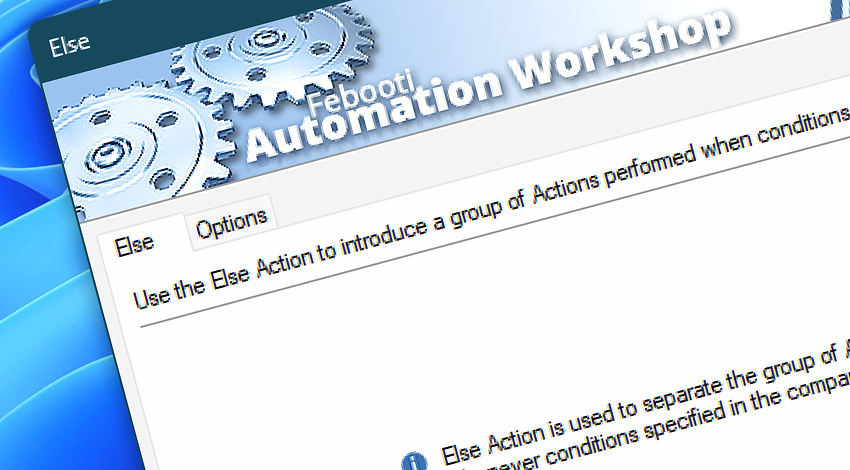
Automation Workshop includes the Else Action that is used in conjunction with one of the Actions—If, If Remote File, If Remote Directory, If File, If Folder, If Service, or If App. The Else Action introduces a branch of Actions that is executed when the conditions specified by the associated comparison Action are not met.
Features & highlights
- Paired with the If, If Remote File, If Remote Directory, If File, If Folder, If Service, and If App Actions to introduce an alternative workflow—the branch of Actions that is performed when the conditions are not met.
- Run a set of Actions if the condition is true and another set of Actions if it is false.
- Specify what Actions to run if the conditions are not met.
- Virtually unlimited nested branching of a workflow is supported.
Usage examples
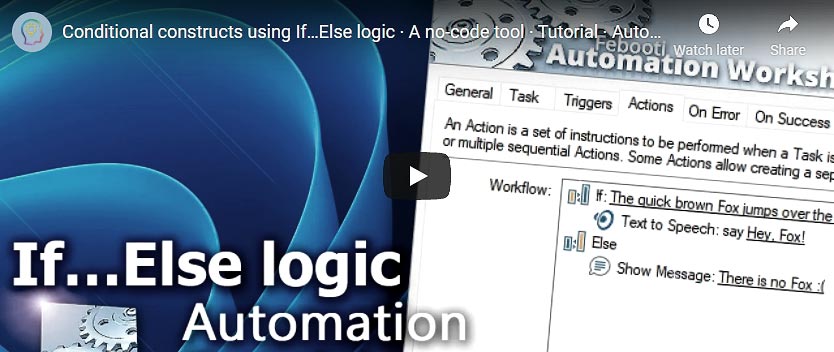
- Verify whether a file matching a specific name pattern exists. If it does, print it. Otherwise, show a custom message to the user.
- List files before sending email. If a folder contains only a few files, skip the compression process. Otherwise, compress the files and delete the original uncompressed files, then send the archive as an email attachment.
- Perform different sets of Actions depending on whether the conditions are true or false.
Documentation
- Else · Introduces a branch of a workflow that is executed when conditions are not met.
- Options · Set the Action state and custom display name, and enable an option to log only critical errors.
Interconnect
- Else integration—with Variables (manipulate data dynamically within a workflow) and Events (recorded entries that detail system activity).
- Streamline your automation processes by visually connecting your workflow using Variable Wizard—a powerful tool to access all 1,000+ variables—system, network, Triggers, Actions, globals, web, and much more…
Quick access
To streamline your workflow creation, you can locate the Else Action throughout Automation Workshop's search tools—including the knowledge base, menu, and Add Action feature—using the quick «EL» shortcut.
More comparisons…
Automation Workshop offers specialized Actions tailored to various resources. Each of them features an intuitive interface designed for a specific resource type. Explore more comparison options:
- If · Overview
- If Remote File · Overview
- If Remote Directory · Overview
- If File · Overview
- If Folder · Overview
- If Service · Overview
- If App · Overview
Branching alternatives…
While If–then logic is the most widely used approach to split a Task into two execution paths, there are additional methods to branch an automated workflow · Action flow explained
Discover
Automation Workshop includes many additional Triggers and numerous Actions to help automate repetitive computer or business tasks using state-of-the-art GUI tools.
Need help?
If you have any questions, please do not hesitate to contact our support team.