
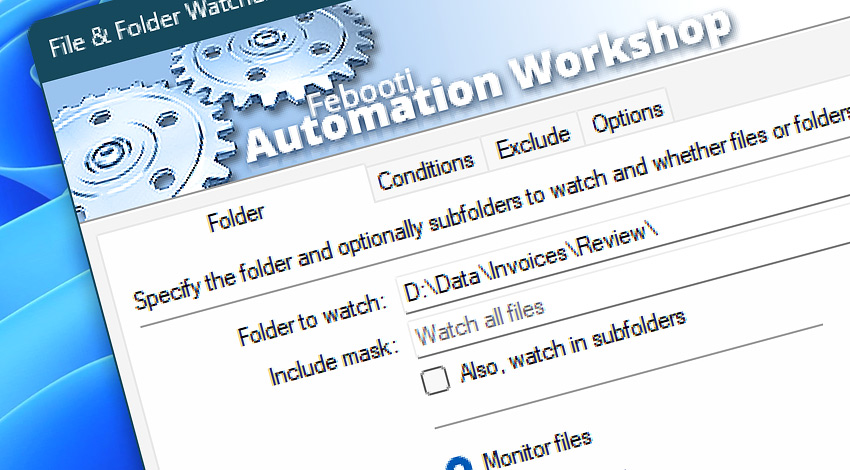
Automation Workshop includes the File & Folder Watcher, which monitors for file and folder changes in a specified location. Both local and network paths are supported. Equipped with file mask and attribute filter criteria, it gives you very precise control over what exactly is being monitored.
Features & highlights
- Continuously monitor folders on local Windows drives and track any file changes as soon as directory content is modified.
- Scan network-accessible Windows, Linux, Novell, or Samba shares, and track any file activity on a network, SAN, or NAS drives.
- Background Directory Watcher monitors for files using an unattended Windows Service that runs on workstations and servers.
- Watch a file system for new, modified, and deleted files or folders.
- Watch local and network folders for created, changed, and removed files.
- Apply include and exclude filters with extensive wildcard support.
- A full support of local folders, network drive monitoring, UNC path names, a complete Unicode filename support.
- Real-time local and remote file system tracking for directory changes and additions whether a user is logged in or not.
- Support of the modern exFAT/NTFS directory paths up to 32,760 characters long.
- Watch a virtually unlimited number of folders without causing any stress to the system.
Usage examples
- Automatically respond to changes in monitored folders by performing automated user-defined Tasks and Actions.
- Monitor a folder for new files, and upload them to FTP, SFTP, or WebDAV servers.
- Synchronize files to popular clouds (Amazon, Google, and DigitalOcean) when changes in a directory occur.
- Send emails, start applications, run Tasks of any complexity upon any file changes.
- Automate all your file-based tasks, e.g., copy files to a new location using intelligent and dynamic variables. Access the filenames that caused the event.
- Save time and eliminate human errors by automating repetitive computer tasks. Send reports, backup data, store watched files on a scheduled basis.
- File & Folder Watcher provides complete control over watched files—track, log, email, and notify system administrators of any problems about monitored file system resources.
Documentation
- Folder · Configure the Trigger to watch for files or folders. Provide a folder path.
- Conditions · Choose what kind of activity will be watched. Monitor for file and folder creation, deletion, modifications, or renaming.
- Exclude · Use file masks and attribute filters to narrow down what types of files will be monitored.
- Options · Configure additional options such as number of times the Trigger must be activated to execute the Task. Add a delay before executing the Task. Select the smart file operation detection for accurate results.
Interconnect
- Dynamic variables & Events of the File & Folder Watcher.
- Variable Wizard and dynamic values of all the File & Folder Actions for local and network drives, and remote FTP, SFTP, WebDAV, Amazon S3, Google Cloud Storage, and DigitalOcean Spaces servers.
- Streamline automation processes by connecting Triggers and Actions using Variable Wizard.
Tutorials
- Monitor a folder and automatically send an email with report files.
- Watch files using File Watcher and send as email attachments.
- Automatically move files from Folder to Backup.
- Use Directory Watcher to audit deleted files.
- Screenshots of the File & Folder Watcher.
Discover
Automation Workshop includes many more awesome Triggers and numerous Actions to aid you to automate any repetitive computer or business task by providing state-of-the-art GUI tools.
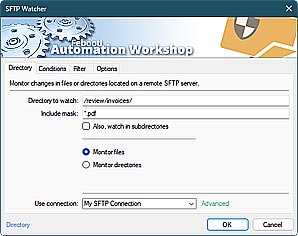
SFTP Watcher
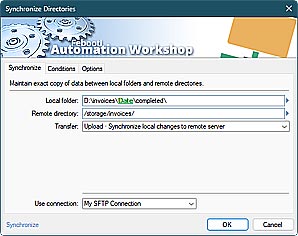
Synchronize Directories
Need help?
If you have any questions, please do not hesitate to contact our support team.