
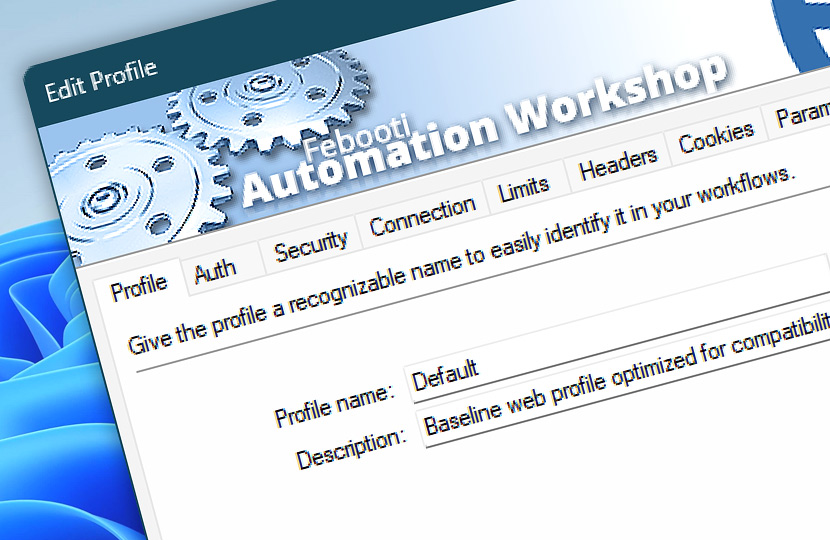
What are Web Profiles? Web Profiles are reusable sets of connection, authentication, security, request, caching, and logging settings for Internet and Web Actions.
Create a profile once and reuse it across multiple Actions to keep web requests consistent, reduce repeated configuration, and manage shared behavior from one place.
Properties
- General · Name and describe the Web Profile for easier identification and reuse.
- Auth · Configure OAuth 2.0, bearer token, API key… and certificate authentication.
- Security · Control server validation, TLS behavior, redirects, and certificate trust.
- Connection · Configure HTTP version, protocol negotiation, reconnects, and DNS resolution.
- Limits · Set upload, download, connection, request, and response size limits.
- Headers · Define shared HTTP headers automatically applied to Actions.
- Cookies · Store and reuse shared cookies for session continuity and request consistency.
- Params · Define reusable query parameters automatically added to web requests.
- Cache · Control DNS, connection, SSL, and cookie caching scopes.
- Options · Configure verbose output, communication logging, and URL encoding.

After a Web Profile is created, select it in Internet and Web Actions to apply its settings automatically. Profile-level settings remain centralized, while individual Actions can still override headers, cookies, parameters, and other request details when a specific workflow requires different behavior.
Applies to…
- Get Webpage Content · Overview
- Upload File to Website · Overview
- Download File from Website · Overview
- Save Webpage · Overview
- Submit Web Form · Overview
- Universal Web API Call · Overview
Need assistance?
If you have any questions, please do not hesitate to contact our support team.