
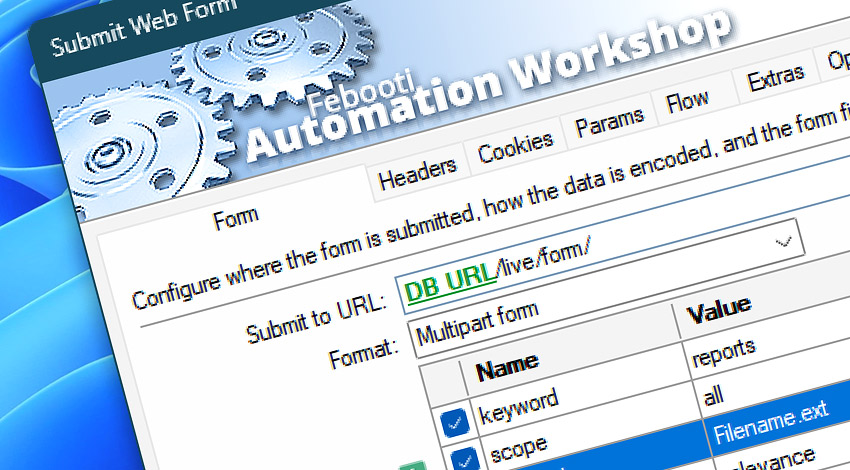
Automation Workshop includes the Submit Web Form Action for submitting web forms to websites, portals, online services, and internal web applications. It provides a browser-like way to send form fields, search requests, login data, registration details, and other structured form submissions within an automated workflow.
Use Submit Web Form Action to automate form-based communication with public websites, authenticated portals, legacy systems, and custom web applications. Form submission behavior can be customized with form fields, request headers, cookies, query parameters, authentication, flow control, and Internet & Web Profiles.
Features & highlights
- Submit form fields to websites, portals, online services, and internal web applications. Upload multiple files together with regular form fields using multipart form submissions supported by the target website or service.
- Automate web form submissions with browser-like behavior, flexible request configuration, and strong control of authentication, connections, and execution constraints using Internet & Web Profiles.
- Send form data together with custom headers, cookies, query parameters, and authentication details required by the target service.
- Use redirects, TLS settings, timeouts, retries, bandwidth throttling, and connection limits for controlled form submission workflows. Read submission results, response codes, headers, returned content, and final URL for validation and later workflow decisions.
Usage examples
- Submit search forms, database forms, request forms, registration forms, or internal business forms automatically.
- Send structured workflow data to websites, portals, legacy systems, or custom web applications.
- Automate authenticated form submissions that require cookies, headers, tokens, credentials, or query parameters.
- Validate form submission results by checking response codes, headers, returned page content, final URL, or workflow variables.
- Replace repetitive browser-based form entry with scheduled or event-driven automated submissions.
Documentation
- Form · Enter the form URL, choose the submission method, and add the form fields.
- Headers · Add custom request headers for form submission requirements, content negotiation, authentication support, user agent, and other request details.
- Cookies · Provide cookies for sessions, preferences, authentication, or other server-side state.
- Params · Add query parameters to the form request URL without editing the full address.
- Flow · Configure response waiting, timeout behavior, response code handling, and workflow continuation rules after the form submission.
- Extras · Fine-tune optional form submission details, including highly specific request, response, transfer, and processing behavior.
- Options · Access the full Action configuration, including state, display name, error handling, logging behavior, and other advanced options.
Interconnect
- Submit Web Form integration—with Variables (manipulate data dynamically within a workflow) and Events (recorded entries that detail system activity).
- Streamline your automation processes by visually connecting your workflow using Variable Wizard—a powerful tool to access all 1,000+ variables—system, network, Triggers, Actions, globals, web, and much more…
Quick access
To streamline your workflow creation, you can locate the Submit Web Form Action throughout Automation Workshop's search tools—including the knowledge base, menu, and Add Action feature—using quick shortcuts like «SWF», «SF», or «WFS».
Discover
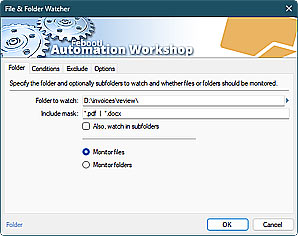
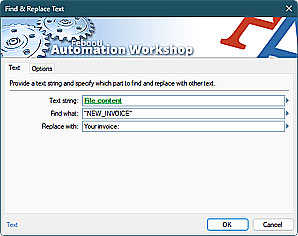
Automation Workshop includes many additional Triggers and numerous Actions to help automate repetitive computer or business tasks using state-of-the-art GUI tools.
Questions?
If you have any questions, please do not hesitate to contact our support team.