
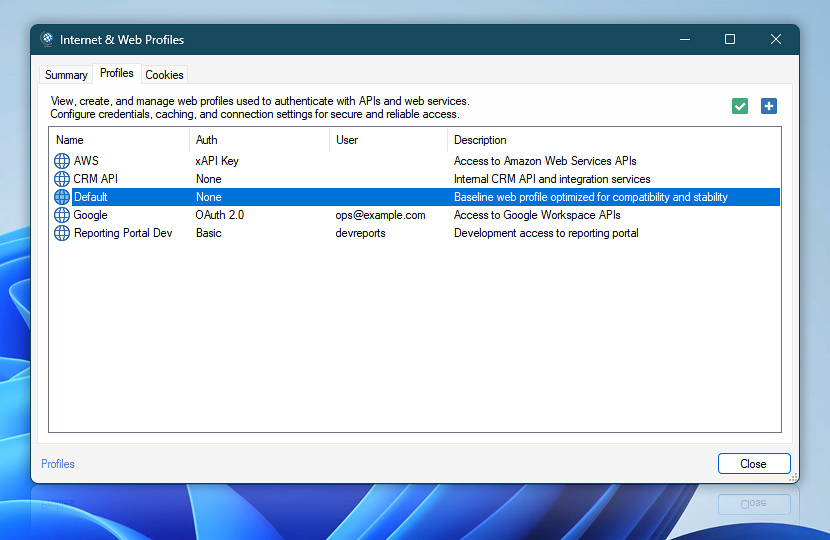
View, create, and manage Web Profiles used by Internet and Web Actions. Profiles store shared authentication, caching, connection, and request settings for secure and reliable web access.
Use the Add button to create a new Web Profile from an existing profile or template. Select a profile and click Edit to modify its settings. Import, export, and delete operations are available from the context menu.
| Profile | Details |
|---|---|
| New profile | Create a new profile. |
| Edit profile | Modify the selected profile. |
Profiles…
The Profiles list shows available Web Profiles and key details that help identify their purpose and configuration.
| Profiles | Details |
|---|---|
| Name | The Web Profile name shown when selecting a profile in Internet and Web Actions. |
| Auth | The authentication method configured for the profile, such as OAuth 2.0, API key, bearer token, or no authentication. |
| User | The account, user, or credential identity associated with the profile, when applicable. |
| Description | Additional details that help identify the profile's purpose, service, environment, or usage scenario. |
Create profiles
New Web Profiles can be created from an existing profile or template, providing a convenient starting point with predefined settings.
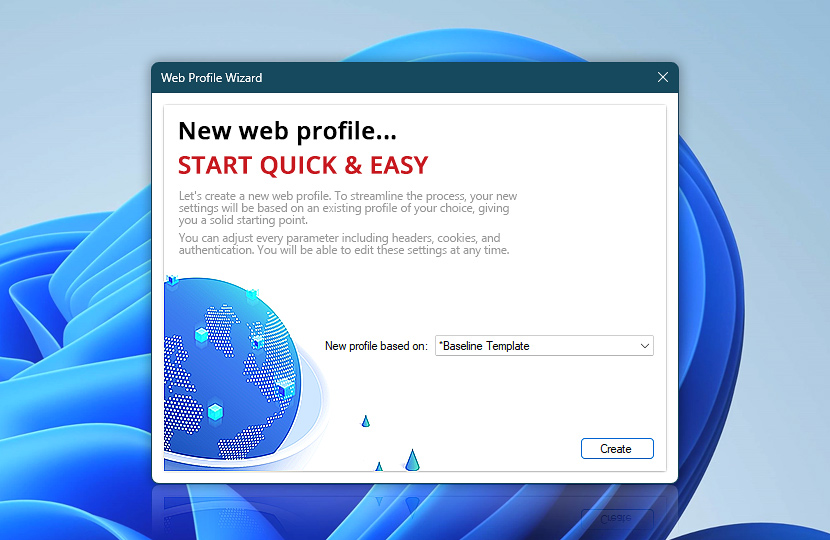
You can adjust every setting later, including name and description, headers, cookies, caching, and authentication.
Help at your fingertips…
If you have any questions, please do not hesitate to contact our support team.