
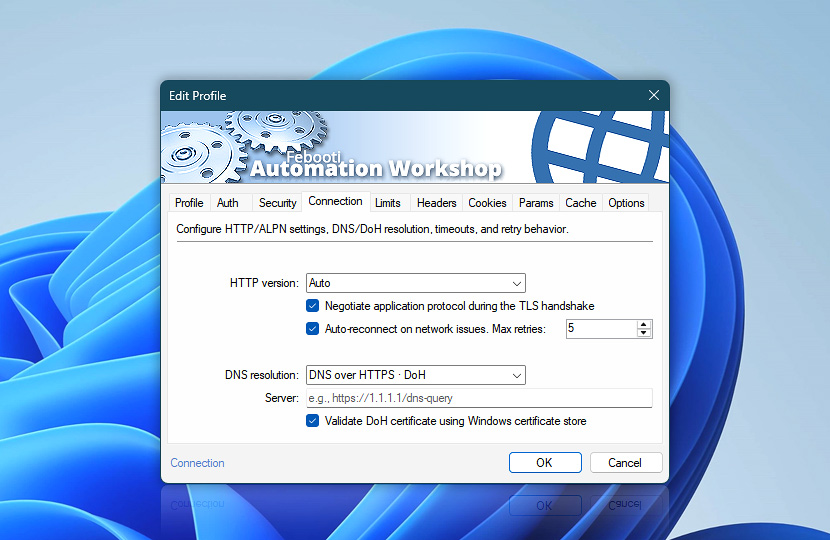
Configure how this Web Profile connects to websites, APIs, and web services. Connection settings control HTTP protocol selection, automatic reconnects, and DNS resolution for Internet and Web Actions that use the profile.
| Connection | Details |
|---|---|
| HTTP version | Choose which HTTP version to use for requests:
|
| Negotiate application protocol during the TLS handshake | Use ALPN · Application Layer Protocol Negotiation to choose the best available protocol before the encrypted connection is fully established.
|
| Auto-reconnect on network issues | Automatically retry the request when temporary network issues occur. Use Max retries to control how many retry attempts are allowed. |
| Max retries | Set the maximum number of automatic reconnect attempts after temporary network failures. This setting applies when Auto-reconnect on network issues option is enabled. The value configured in the Web Profile serves as the default for Actions that use the profile. An individual Action can override this value by using the AutoRetryCount Extra setting. The Action-specific value takes precedence for that Action. |
| DNS resolution | Choose how domain names are resolved:
|
| Server | Enter the DNS over HTTPS (DoH) server URL used to resolve domain names securely over HTTPS. |
| Validate DoH certificate using Windows certificate store | Validate the DNS over HTTPS server certificate using the Windows certificate store before connecting to the DoH server. This helps ensure the authenticity and security of encrypted DNS communication. |
Note
- DNS over HTTPS protects DNS queries from being sent as plain text, but the selected DoH server must be trusted because it resolves the domain names used by requests.
We are here to help…
If you have any questions, please do not hesitate to contact our support team.