
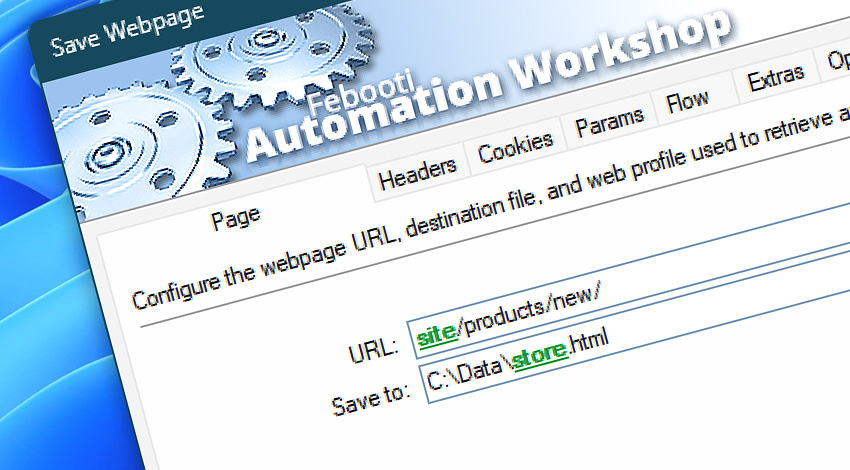
Automation Workshop includes the Save Webpage Action for saving webpage content from websites, online services, and internal systems. It provides a practical way to capture web pages as files for archiving, reporting, auditing, offline review, or later workflow processing.
Use Save Webpage Action to store webpage content from public sites, dashboards, portals, reports, generated pages, and protected resources. Page retrieval and file saving behavior can be customized with request headers, cookies, query parameters, authentication, flow control, output settings, and Internet & Web Profiles.
Learn how the Save Webpage Engine discovers supporting resources, stores them locally, rewrites page references, and prepares the saved copy for offline viewing.
Features & highlights
- Capture and store complete webpage content for archiving or processing, with streamlined request setup and powerful control of authentication, connection reuse, and resource usage limits through Internet & Web Profiles.
- Save webpages from websites, online services, dashboards, portals, reports, and internal web applications.
- Store retrieved webpage content as local or network files for later review, processing, delivery, or retention.
- Use headers, cookies, query parameters, authentication, redirects, TLS settings, timeouts, and retries for controlled webpage capture.
- Access save results, response codes, headers, final URL, file path, file size, and other details for validation and workflow decisions.
Usage examples
- Save daily reports, generated pages, dashboards, receipts, confirmations, or status pages as local files.
- Archive webpage snapshots from business systems, customer portals, monitoring pages, or internal applications.
- Capture protected pages that require authentication, cookies, headers, tokens, or query parameters.
- Store retrieved webpage content for later parsing, comparison, email delivery, backup, or audit workflows.
- Validate successful page capture by checking response codes, headers, saved file size, final URL, or workflow variables.
Documentation
- Page · Enter the webpage URL and choose where the captured page content is saved.
- Headers · Add custom request headers for webpage capture, content negotiation, authentication support, caching, user agent, and other request details.
- Cookies · Provide cookies used for sessions, preferences, authentication, or server-side state during the webpage request.
- Params · Add query parameters to the webpage request URL without manually editing the full address.
- Flow · Configure response waiting, timeout behavior, response code handling, and workflow continuation rules after the webpage request.
- Extras · Fine-tune optional webpage saving details, including highly specific request, response, file, and processing behavior.
- Options · Access the full Action configuration, including state, display name, error handling, logging behavior, and other advanced options.
Interconnect
- Save Webpage integration—with Variables (manipulate data dynamically within a workflow) and Events (recorded entries that detail system activity).
- Streamline your automation processes by visually connecting your workflow using Variable Wizard—a powerful tool to access all 1,000+ variables—system, network, Triggers, Actions, globals, web, and much more…
Quick access
To streamline your workflow creation, you can locate the Save Webpage Action throughout Automation Workshop's search tools—including the knowledge base, menu, and Add Action feature—using quick shortcuts like «SW», «SWP», or «SP».
Discover
Automation Workshop includes many additional Triggers and numerous Actions to help automate repetitive computer or business tasks using state-of-the-art GUI tools.
Need help?
If you have any questions, please do not hesitate to contact our support team.