
Internet & Web Profiles provide reusable configuration for Internet & Web Actions. A single Web Profile can contain authentication, security, connection, request, caching, cookie, and other web communication settings, allowing multiple Actions to use a consistent configuration without defining the same options repeatedly.
Profiles make it easier to manage connections to websites, APIs, cloud services, and other HTTP-based endpoints. Update a shared profile once, and Actions using that profile automatically use its current configuration.
Usage
Select a Web Profile in an Internet & Web Action to apply its shared web communication settings. Profiles are especially useful when multiple Tasks connect to the same service or require common authentication, headers, cookies, connection behavior, or caching rules.
Each Action can still define its own request-specific settings. Action-level values are used together with the selected Web Profile, allowing a common configuration to be reused while individual requests remain fully customizable.
Internet & Web Profiles can be created, edited, duplicated, imported, exported, and managed centrally. Built-in templates provide a convenient starting point for new profiles, while every setting can be adjusted later as requirements change.
Overview
Web Profiles separate reusable connection and service configuration from individual Actions. This keeps Tasks easier to maintain and helps ensure consistent behavior across workflows that communicate with the same website, API, or server.
A profile can define authentication credentials and methods, certificate and TLS behavior, connection options and limits, default headers and parameters, cookies, caching behavior, and other advanced communication settings.
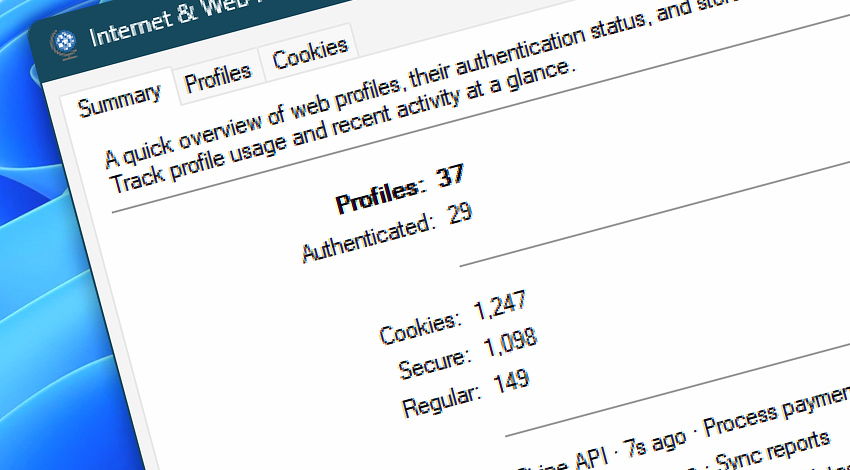
The Internet & Web Profiles manager also provides an at-a-glance summary of configured and authenticated profiles, stored cookies, and recent profile activity. Stored cookie information can be reviewed centrally, including its security attributes, scope, caching context, and expiration.
Profiles are stored independently of individual Tasks, making them suitable for configurations that need to be shared and maintained across multiple automated workflows.
Documentation
- Summary · Review configured profiles, authentication status, cookies, and recent activity.
- Profiles · Manage · Create, view, edit, duplicate, import, export, and organize Web Profiles.
- Cookies · Review stored cookies, their scope and security attributes, expiration, and caching context.
Applies to…
- Get Webpage Content · Overview
- Upload File to Website · Overview
- Download File from Website · Overview
- Save Webpage · Overview
- Submit Web Form · Overview
- Universal Web API Call · Overview
More…
Explore…
Take advantage of the automation benefits, including remote task management, and see how the Internet & Web Profiles Manager helps you achieve workflow automation in no time! To review all the features, simply use quick shortcuts like «IWP» or «WIP» across the entire Automation suite.
Still have a question?
If you have any questions, please do not hesitate to contact our support team.