
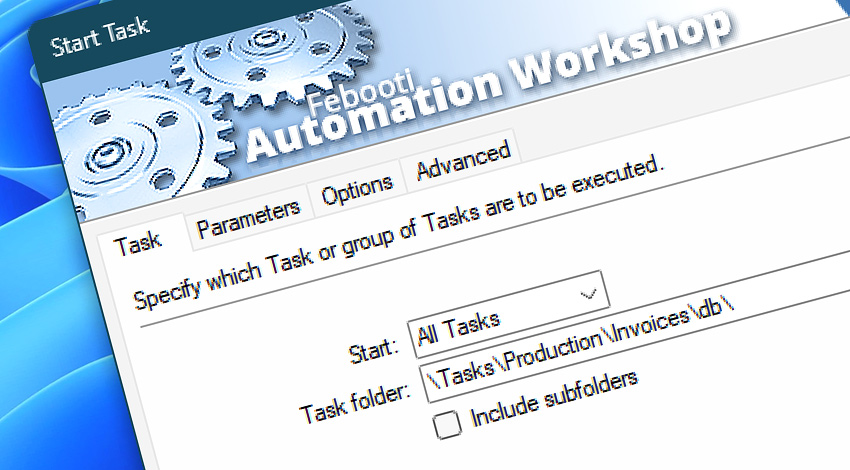
Automation Workshop includes the Start Task Action—a powerful tool that can handle Tasks and even groups of Tasks, automatically running them as necessary (even if they do not have their own Triggers) · Start Task API
This Action allows users to design complex scenarios where multiple Tasks are linked in various ways, making highly flexible automated configurations easy to deploy.
Features & highlights
- Automatically launch single or multiple Tasks.
- Starting Tasks in parallel using the Run in parallel setting allows data to be processed simultaneously, following a modern asynchronous approach.
- Retrieve a result value from a recently finished Task—similar to calling a function and getting its return value in programming.
- Options to start a Task immediately or with a delay.
- Limit the maximum time the started Task can run before stopping it.
- When creating very complex automation scenarios with multiple Triggers and many Actions, the Start Task Action allows creating a modular design by splitting complex Tasks into many smaller ones that are more easily maintainable in the long run.
Documentation
- Task · Enter the Task or group of Tasks to be started by the Start Task Action.
- Parameters · Provide multiple Task parameters that started Tasks will be able to retrieve from the Start Task Action using the Variable Wizard.
- Options · Define how to interact with the started Tasks.
- Advanced · Set additional Task execution options.
Interconnect
- Start Task integration—with Variables (manipulate data dynamically within a workflow) and Events (recorded entries that detail system activity).
- Streamline your automation processes by visually connecting your workflow using Variable Wizard—a powerful tool to access all 1,000+ variables—system, network, Triggers, Actions, globals, web, and much more…
Quick access
To streamline your workflow creation, you can locate the Start Task Action throughout Automation Workshop's search tools—including the knowledge base, menu, and Add Action feature—using the quick «ST» shortcut.
More ways to Start…
- Action · Start App
- Action · Run CMD Command
- Action · Remote FTP Command
- Action · Remote SSH Command
- Action · Execute Script · PowerShell · JScript · VBScript · Batch files
- Action · Open Document
- Action · Stop Task
- API · Run Task using API
- Remote Manager · Remote Operations · Remote deployment · Run Remote Tasks
- Interactive · Desktop Shortcut · Tray Icon · Command line
- UI · File menu · Tools menu
- Advanced fallback · On Task Error · On Action Error
- Post-execution events
Discover
Automation Workshop includes many additional Triggers and numerous Actions to help automate repetitive computer or business tasks using state-of-the-art GUI tools.
Need assistance?
If you have any questions, please do not hesitate to contact our support team.