
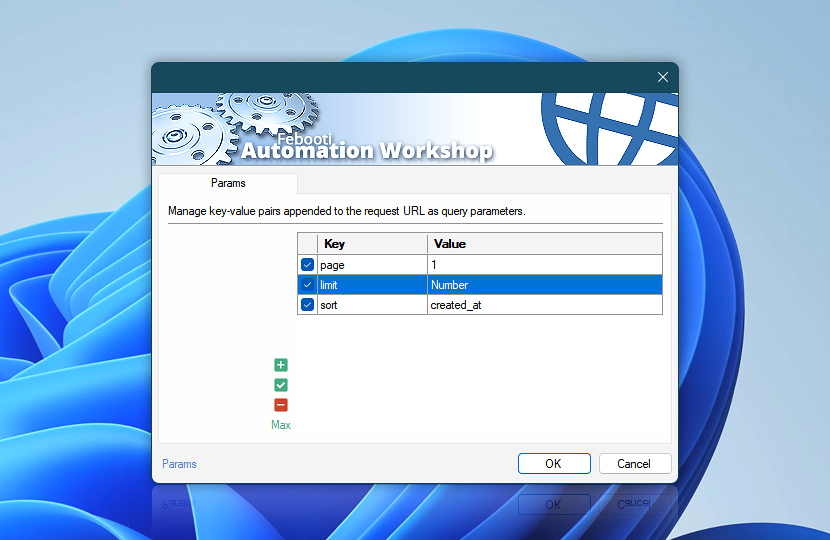
Query parameters define how request URLs are constructed and how data is passed to websites and APIs. They allow you to control filtering, pagination, localization, authentication flows, and other request-specific behavior.
Automation Workshop automatically appends query parameters to request URLs when configured. Parameters defined here provide additional control, allowing you to shape requests, pass structured data, and meet specific API or service requirements.
Parameters are optional and should be used when request behavior depends on dynamic or endpoint-specific input.
| Params | Details |
|---|---|
| List of params | Define query parameters included with each request. Parameters allow you to control how servers interpret requests by passing key-value data in the URL. Parameters can be defined directly in an Action or provided by a Web Profile. When both are used, Action-level parameters extend those defined in the Web Profile. Parameters defined in a Web Profile appear as highlighted entries, while locally defined parameters are shown as regular entries. Each parameter can be enabled or disabled individually. Disabled parameters are not included in the request. |
| Editing | Use the editing controls to manage parameters:
Use the context menu for additional options such as duplicate, move, enable or disable entries, and quick access to related editing features. |
| Min / Max | Resize the parameter list area between compact and expanded views to improve visibility when working with multiple entries or longer values. Press F11 to toggle between view modes. |
Context menu
Use the context menu for quick access to parameter management features:
- Manage entries—Add, Edit, or Remove parameters (ALT+A, F2, ALT+R).
- Duplicate and copy—Duplicate, Copy, or Paste entries (CTRL+D, CTRL+C, CTRL+V).
- Reorder—Move parameters up or down (ALT+Up, ALT+Down) to control the order in which they are appended to the request URL.
While parameter order is usually not critical, some APIs process parameters sequentially or require specific ordering. Reordering helps ensure compatibility with such endpoints.
Notes
- For centralized parameter management, use the Web Profile. See Profile parameters to configure reusable query parameters.
- Action-level parameters support dynamic values using the Variable Wizard, allowing request data to be generated at runtime. Parameters defined in a Web Profile are typically static and shared across multiple Actions.
- Parameters are automatically URL-encoded when required to ensure valid and reliable request formatting.
Editing…
Define and modify parameter values using the editor. Each parameter is configured as a key-value pair and appended to the request URL when the request is executed.
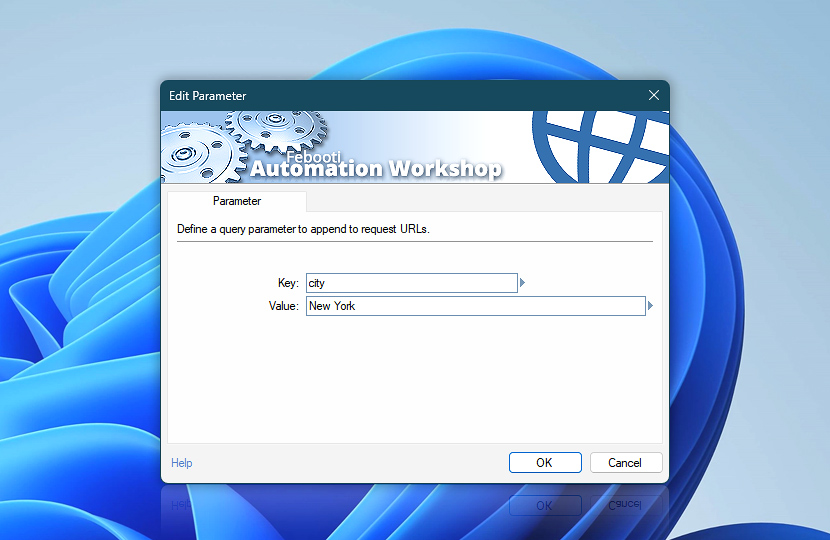
Use the editor to enter values manually or insert dynamic data using the Variable Wizard. This allows parameters to adapt based on workflow context and runtime data.
| Parameter | Details |
|---|---|
| Key | Specifies the parameter name included in the request URL. |
| Value | Specifies the value associated with the parameter. This can be a static value or dynamically generated content. Values are automatically URL-encoded when needed to ensure proper formatting in the request URL. |
| Variable Wizard |  Use dynamic data input—substitute a parameter from a file, web, connected Trigger, other Actions, date and time presets, etc. Use dynamic data input—substitute a parameter from a file, web, connected Trigger, other Actions, date and time presets, etc. |
Examples…
Examples of common query parameters and how they appear in request URLs:
- example.com?lang=en
- example.com?page=2&limit=50
- example.com?q=New%20York&units=metric&sort=asc
- example.com?q=coffee%20%26%20cream&city=Boston&discount=10%25
Spaces and special "reserved" characters are automatically URL-encoded…
(e.g., space → %20, & → %26, and % → %25).
Applies to…
These query parameter settings are available in the following Actions:
- Get Webpage Content · Overview · Params
- Upload File to Website · Overview · Params
- Download File from Website · Overview · Params
- Save Webpage · Overview · Params
- Submit Web Form · Overview · Params
- Universal Web API Call · Overview · Params
See also…
Query parameters work together with other request components:
- Headers · Define how requests are interpreted by servers, including authentication, content types, and caching behavior.
- Cookies · Maintain session data and state between requests, enabling authentication and consistent interactions.
Need assistance?
If you have any questions, please do not hesitate to contact our support team.