
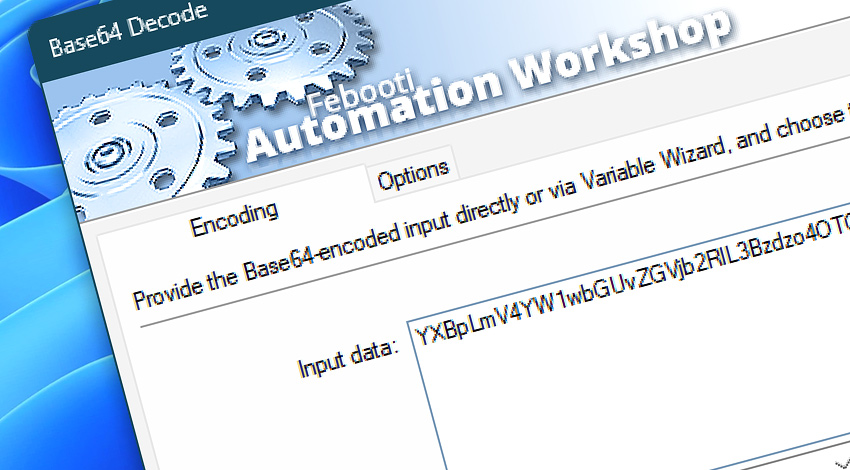
 This is an upcoming feature. Base64 Decode is planned for general availability in version 10.1.
Automation Workshop includes the Base64 Decode Action that converts Base64-encoded data back into readable text. It supports both Standard Base64 and the URL-safe Base64URL format, with automatic format detection available when the source type is not known in advance.
Encoded input can be entered directly or supplied dynamically through Variable Wizard. Additional options control the output character set, invalid character handling, missing padding recovery, and optional result storage for use in subsequent workflow steps.
Features & highlights
- Standard Base64 and Base64URL—Decode conventional Base64 data or URL-safe values used by web applications, APIs, tokens, and filenames.
- Automatic format detection—Let the Action determine whether the input uses the Standard Base64 or Base64URL alphabet.
- Multiple output character sets—Convert decoded bytes to UTF-8, ASCII, or ISO-8859-1 text.
- Flexible input validation—Fail on unexpected characters, ignore whitespace, or discard all characters outside the selected Base64 alphabet.
- Automatic padding recovery—Restore missing trailing
=characters when the encoded input can be completed correctly. - Reusable decoded output—Access the result through Variable Wizard or store it in an existing variable for later Actions.
Usage examples
- Decode Base64 or Base64URL values received from web services, APIs, forms, and connected systems.
- Restore encoded JSON payloads, configuration values, identifiers, or message content for further processing.
- Decode values that contain line breaks, spaces, or other formatting characters introduced during transport.
- Process unpadded Base64URL strings commonly used in URLs, web tokens, and API parameters.
- Convert dynamically received encoded data and pass the decoded result to file, email, web, scripting, or validation Actions.
Documentation
- Encoding · Provide the Base64-encoded source data and choose automatic detection, Standard Base64, or Base64URL decoding.
- Options · Configure the output character set, invalid character handling, missing padding recovery, and optional result storage.
Interconnect
- Base64 Decode integration—with Variables (manipulate data dynamically within a workflow) and Events (recorded entries that detail system activity).
- Streamline your automation processes by visually connecting your workflow using Variable Wizard—a powerful tool to access all 1,000+ variables—system, network, Triggers, Actions, globals, web, and much more…
Quick access
To streamline your workflow creation, you can locate the Base64 Decode Action throughout Automation Workshop's search tools—including the knowledge base, menu, and Add Action feature—using quick shortcuts like «BD» or «B6D».
More encoding…
Along with the Base64 Decode Action, Automation Workshop includes a set of related tools within the Encoding family designed to help process and transform data across different workflows.
- Base64 Encode · Overview · Variables
- URL Decode · Overview · Variables
- HTML Decode · Overview · Variables
Discover
Automation Workshop includes many additional Triggers and numerous Actions to help automate repetitive computer or business tasks using state-of-the-art GUI tools.
We are here to help…
If you have any questions, please do not hesitate to contact our support team.