
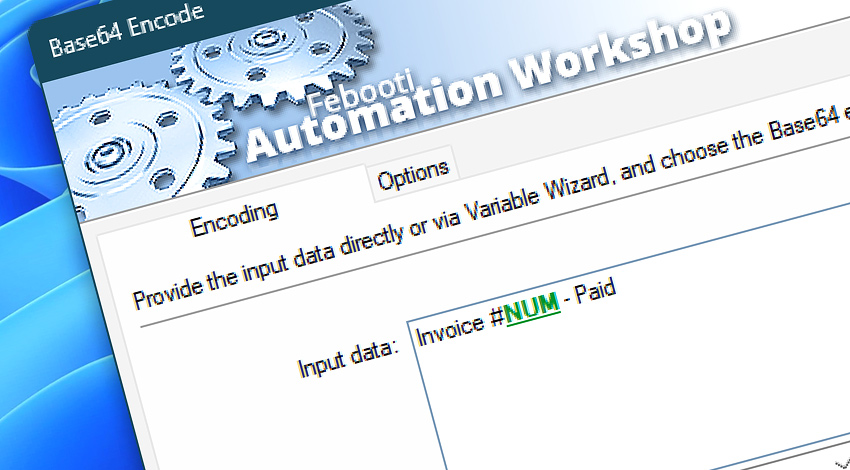
 This is an upcoming feature. Base64 Encode is planned for general availability in version 10.1.
Automation Workshop includes the Base64 Encode Action that converts text and other input data into a Base64-encoded representation. Use standard Base64 for general-purpose encoding or Base64URL when the output must be safe for URLs, filenames, web tokens, and API requests.
Input can be entered directly or supplied dynamically through Variable Wizard. Additional options control line wrapping, padding, and optional result storage, allowing the generated output to match the requirements of external systems and downstream workflow steps.
Features & highlights
- Standard Base64 and Base64URL—Choose the alphabet required by the destination system, including URL-safe output for web and API workflows.
- Flexible line formatting—Produce a continuous encoded string or apply MIME-compatible 76-character and PEM-compatible 64-character line breaks.
- Optional padding—Include standard trailing
=characters or omit them for systems that require unpadded Base64 output. - Reusable results—Access the encoded result through Variable Wizard or store it in an existing variable for later workflow steps.
Usage examples
- Encode JSON request bodies, identifiers, or configuration values before sending them to a web service or API.
- Encode multi-line data as a single continuous Base64 string for systems that require one-line input.
- Create Base64URL values for URL parameters, filenames, web tokens, and other contexts where
+and/are unsuitable. - Prepare binary or textual data for transfer through systems that accept only text-based content.
- Encode data produced by previous Actions and pass the result to email, file, web, or command-line operations.
Documentation
- Encoding · Provide the source data and choose between Standard Base64 and the URL-safe Base64URL encoding mode.
- Options · Configure line breaks, padding, and optional storage of the encoded result.
Interconnect
- Base64 Encode integration—with Variables (manipulate data dynamically within a workflow) and Events (recorded entries that detail system activity).
- Streamline your automation processes by visually connecting your workflow using Variable Wizard—a powerful tool to access all 1,000+ variables—system, network, Triggers, Actions, globals, web, and much more…
Quick access
To streamline your workflow creation, you can locate the Base64 Encode Action throughout Automation Workshop's search tools—including the knowledge base, menu, and Add Action feature—using quick shortcuts like «BE» or «B6E».
More encoding…
Along with the Base64 Encode Action, Automation Workshop includes a set of related tools within the Encoding family designed to help process and transform data across different workflows.
- Base64 Decode · Overview · Variables
- URL Encode · Overview · Variables
- HTML Encode · Overview · Variables
Discover
Automation Workshop includes many additional Triggers and numerous Actions to help automate repetitive computer or business tasks using state-of-the-art GUI tools.
Need a helping hand?
If you have any questions, please do not hesitate to contact our support team.