
 This is an upcoming feature. HTML Decode is planned for general availability in version 10.1.
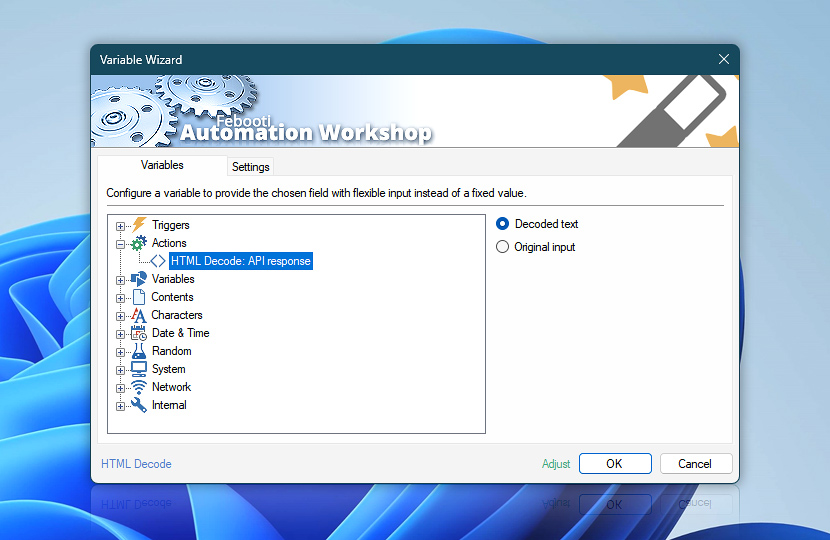
After decoding the supplied data, the HTML Decode Action provides both the decoded text and the original HTML-encoded input as dynamic Variable Wizard values. These values can be reused by subsequent Actions without creating additional variables.
Use the decoded value when later workflow steps need readable text or restored HTML markup, while the original input remains available for logging, comparison, validation, or reuse in its encoded form.
| Variable | Details |
|---|---|
| Decoded text | Returns the text or HTML markup produced by the HTML Decode Action. The exact result depends on the selected decode depth and invalid entity handling options.
Examples:
|
| Original input | Returns the HTML-encoded source data exactly as supplied to the HTML Decode Action before decoding. Useful for logging, auditing, comparison, retry logic, or passing the original encoded value to another workflow step.
Examples:
|
| Completion status | Retrieve Action execution status with a possible value—Successful or Failed. Or Empty, if Action has not been executed yet. |
| Adjust | Streamline creation of Task workflows even further—instantly make quick variable adjustments such as in-place text replacement (all, first, or last), ensuring (starts, ends, or does not), trimming (whitespaces, quotes, etc.), or changing capitalization. Chain multiple adjustments. Optionally, set a different display name. |
Need help?
If you have any questions, please do not hesitate to contact our support team.