
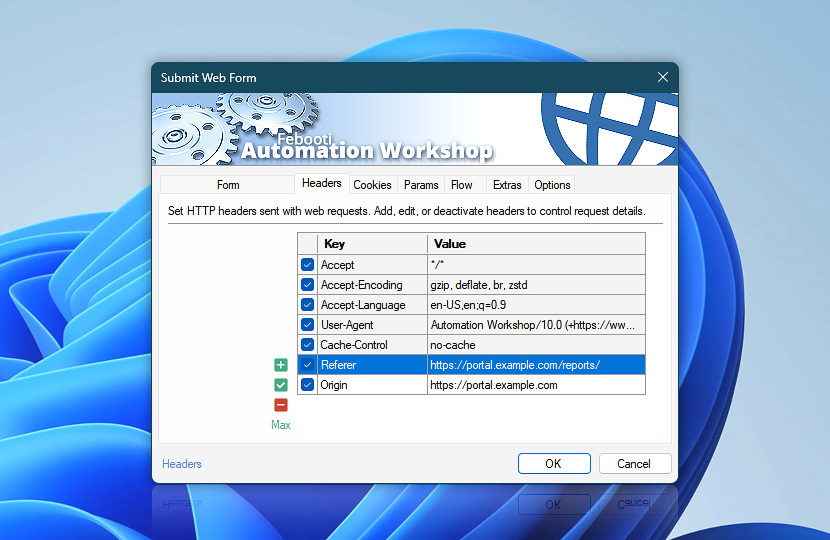
Configure additional HTTP request headers used by the Submit Web Form Action to fine-tune how form submissions are processed by websites. These custom headers complement the headers generated automatically by Automation Workshop and do not replace form fields or encoding settings.
| Headers | Details |
|---|---|
| List of headers | Define HTTP headers included with the request. Entries can come from this Submit Web Form Action or linked Web Profiles. Useful for fine-tuning how form submissions are handled by servers. Inherited profile headers are shown first and highlighted. Headers configured directly in this Action follow as regular entries. |
| Add / Edit / Remove | Add new headers, edit, or remove existing headers. |
| Min / Max | Resize the headers editing area. |
Notes
- You can disable either header source—this Submit Web Form Action (regular entries) or Internet & Web Profiles (highlighted entries). Disabled headers are not sent with the request. This allows you to quickly test different form submission scenarios.
- Form fields and encoding are configured as part of the request. Use the Web Profile to manage shared header values across Actions. Open Profile headers to manage shared header settings.
- Action-level headers support dynamic values using variables, and override or complement those defined in the Web Profile, allowing precise per-request control. This is useful when submitting dynamic form data to different endpoints.
Assistance is here…
If you have any questions, please do not hesitate to contact our support team.