
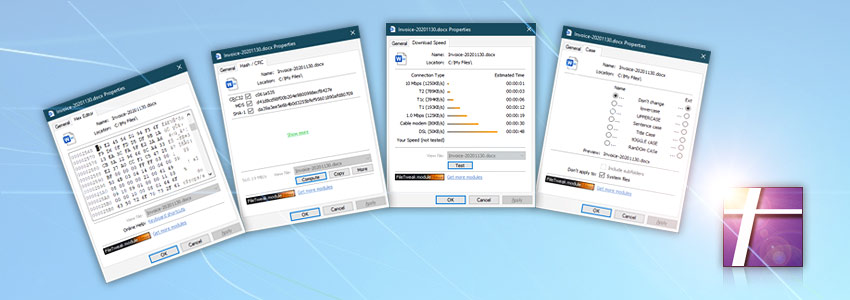
Each of the FileTweak modules, that are located in the Windows property pages, represents a separate program. Freeware modules can be installed as stand-alone applications.

Hash & CRC
A freeware file checksum calculator to compute hash fingerprints for files. Supported formats include CRC32, MD2, MD4, MD5, SHA-1, SHA-224, SHA-256, SHA-384, SHA-512, RIPEMD-128, RIPEMD-160, RIPEMD-256, RIPEMD-320, WHIRLPOOL and Tiger-192.
Easy to use interface allows to verify file integrity by comparing calculated checksum with a clipboard or checksum files.
Hex Editor
A Freeware hex editor allows users to view and edit files in binary mode, search for particular content or address in the file. Allows to replace any data, copy in a variety of data formats and more. Full keyboard shortcut support, bookmarks and multiple screen modes.
Easy to use interface allows to edit regions of file without affecting the layout of file or prevent "content shifting", thus giving a perfect control over data.
More modules?
Some older modules are no longer maintained and supported… see the legacy screenshots or choose automation!
- Download speed screenshot · See automation solution with upload & download file support via FTP, SFTP, WebDAV, Amazon S3, Google Cloud Storage, and DigitalOcean Spaces.
- Case screenshot · See automation solution with change text case support. Automatically pass the capitalized text to further Actions within an automated Task.
Universally available
Our software solutions work smoothly on all modern 32-bit and 64-bit Microsoft Windows versions: Windows 10 · Windows 11 · Server 2016 · Server 2019 · Server 2022 · Server 2025.
Older Windows versions (such as Windows 8 and Server 2012) are not "officially" supported but should still work remarkably well. The underlying architecture of Windows is evolving and our apps are crafted to be backward and forward compatible.