
The STARTTLS command establishes a secure communication session with an email server, similarly to the SSL command.
STARTTLS gets the information whether the encrypted TLS/SSL session is compatible with the server. Then, a secured session is established right before transferring any sensitive data, such as credentials and message text itself. On the other hand, the SSL command establishes a secure communication channel before sending any bits of information to the SMTP server.
The SSL protocol is considered deprecated and should not be used in production when connecting through the internet. When you are using the STARTTLS or SSL commands with any modern email provider, your connection is encrypted using the latest TLS encryption standards.
Command syntax
- febootimail -STARTTLS
- febootimail -STARTTLS -TLS 1.2
The default port for TLS connection is 587. Usually the STARTTLS argument is used with server authentication commands AUTH, USER, and PASS.
febootimail -SERVER smtpmail.example.net -FROM ed@example.net -TO jack@example.com -USER john -PASS jkZ3kr5$DrB -MSG Email sent through TLS enabled mail server -STARTTLSEssentially, the STARTTLS command is very similar to the SSL command. They both use the TLS or SSL encryption protocols under the hood. Some email servers prefer to use the TLS/SSL encrypted channel instead of the STARTTLS command.
Gmail & STARTTLS
Example of sending Gmail email using STARTTLS. View simple instructions on how to enable Google App passwords for SMTP.
See an additional instructions, if you are getting the "Allow less secure apps" error message. Just replace [Your-Email@gmail.com] with a valid Gmail address:
febootimail -SUBJ "Gmail and STARTTLS" -SERVER smtp.gmail.com -STARTTLS -AUTH PLAIN -USER YourEmail@gmail.com -PASS *********** -FROM YourEmail@gmail.com -TO email@example.com -TEXT "This email is sent using Gmail's server. It is easy and secure!"Unattended automation?
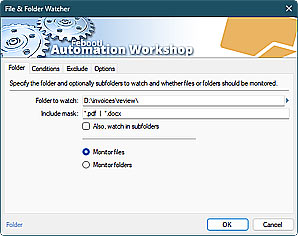
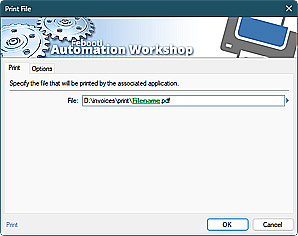
Automation Workshop is a solution to automate Windows tasks—use numerous Triggers and choose from 100+ Actions, including Send Email with rich security features—automate your awesome workflows within minutes.
Just look at some of the features…
Automation Workshop aids you to automate any repetitive computer or business task by providing state-of-the-art GUI tools · view quick automation demos
Related commands
Quick look
- Quick start · start sending the CMD email in minutes
- Tips & Tricks · a few quick email tricks
- Email attachments · use simple wildcards or advanced file masks to attach multiple files
- Debug email client-server connection · use DEBUG and advanced DEBUGX commands
- Parameter substitution using USEFILE and CONFIG · use a text file as any parameter
- Batch file & errorlevels · errorlevel values can be used in conditional processing
- Command Line Email parameters · see all email commands
Need help?
If you have any questions, please do not hesitate to contact our support team.