
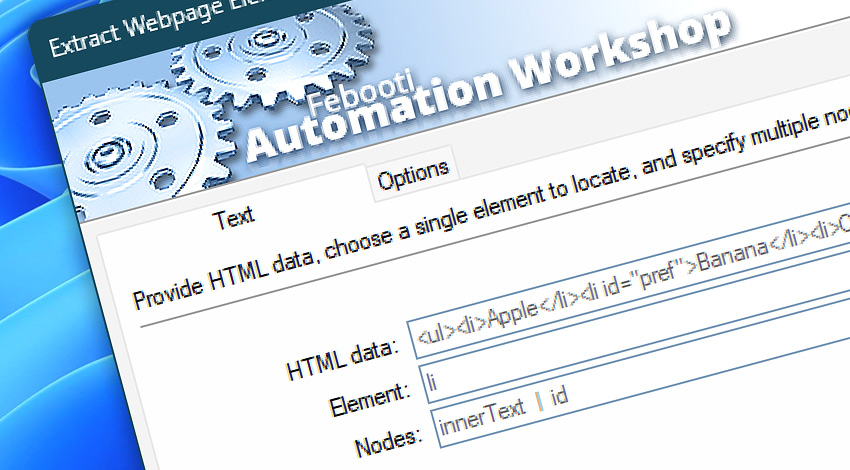
 This is an upcoming feature. Extract Webpage Elements is planned for general availability in version 10.1.
Automation Workshop includes the Extract Webpage Elements Action that locates matching HTML elements and retrieves selected text, markup, or attribute values. A single element type can be searched while multiple nodes—such as innerText, innerHTML, href, src, id, or custom data-* attributes—are collected in one operation.
HTML can be entered directly or supplied dynamically through Variable Wizard. Additional options control case matching, define where the search begins, and allow the resulting data to be stored for use in subsequent workflow steps.
Features & highlights
- Single-element targeting—Locate one HTML element type, such as
a,div,img,ul, orspan. - Multiple-node retrieval—Collect several values from every matching element in one operation.
- Text and markup access—Retrieve rendered text with
innerTextor enclosed HTML markup withinnerHTML. - Attribute extraction—Read standard attributes such as
href,src,id, andclass, as well as customdata-*attributes. - Flexible element notation—Specify an element with or without angle brackets—for example,
aor<a>. - Configurable case matching—Treat uppercase and lowercase characters as equivalent or require exact capitalization.
- Scoped searching—Begin processing only after the first occurrence of a specified section marker, tag, or text fragment.
- Dynamic HTML input—Process content from files, web Actions, Triggers, previous Actions, variables, and other Variable Wizard sources.
- Reusable results—Access the retrieved data through Variable Wizard or store it in an existing variable.
Usage examples
- Retrieve link text, destination URLs, and custom identifiers from product or navigation links.
- Collect image source URLs, alternative text, IDs, or classification attributes from HTML content.
- Extract product names, prices, SKUs, and other values stored in element text or
data-*attributes. - Process only a specific webpage section by starting after a known container, heading, or marker.
- Retrieve both readable text and enclosed markup for comparison, transformation, or storage.
- Pass values obtained from downloaded webpages to file, email, database, scripting, or conditional Actions.
Documentation
- Text · Provide the HTML source, specify one element to locate, and list the text, markup, or attribute nodes to retrieve.
- Options · Configure case matching, define the search starting point, and optionally store the resulting data.
Interconnect
- Extract Webpage Elements integration—with Variables (manipulate data dynamically within a workflow) and Events (recorded entries that detail system activity).
- Streamline your automation processes by visually connecting your workflow using Variable Wizard—a powerful tool to access all 1,000+ variables—system, network, Triggers, Actions, globals, web, and much more…
- Furthermore, not only blend Extract Webpage Elements variables, but also seamlessly integrate them with a broad range of other text variables, enabling highly dynamic workflows.
Quick access
To streamline your workflow creation, you can locate the Extract Webpage Elements Action throughout Automation Workshop's search tools—including the knowledge base, menu, and Add Action feature—using quick shortcuts like «EWE», «EWP», or «EE».
Discover
Automation Workshop includes many additional Triggers and numerous Actions to help automate repetitive computer or business tasks using state-of-the-art GUI tools.
Still have a question?
If you have any questions, please do not hesitate to contact our support team.