
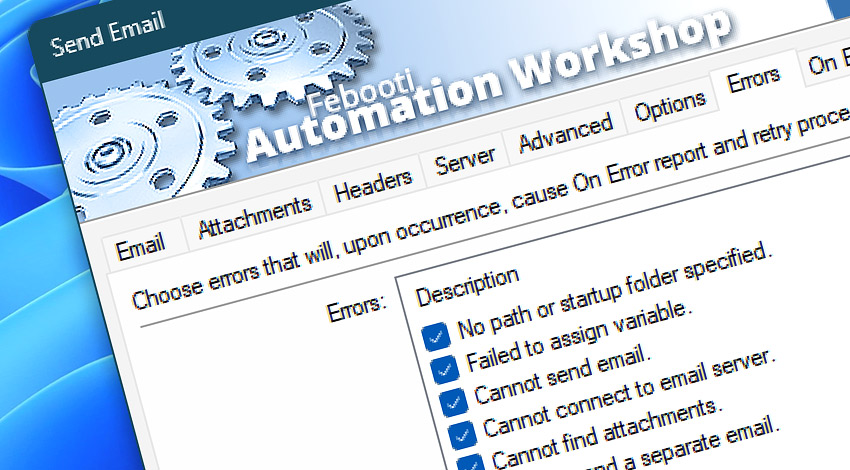
All Events · The Send Email Action generates Events to report on its activity—organized into informational, warning, and error categories. In real automation scenarios, each message provides additional context to help you identify issues and their causes, streamline troubleshooting, and confirm successful Action operations.
Send Email
Automation Workshop includes the Send Email Action—a full featured mail tool for all email sending needs. Specify all necessary parameters either using fixed values or Variable Wizard for flexible automatic email sending.
Info
Warnings
50200· Failed to remove temporary file.
Errors
50400· Failed to send email.50401· Failed to write EML file.50402· Failed to prepare email for sending.50403· Failed to write log file.50410· Fields TO (CC, BCC) and FROM are required.50411· TO field required when sending separate emails.50412· Multiple FROM or REPLY-TO addresses not allowed.50413· Incompatible EML parameters.50420· Could not connect to SMTP server.50421· Could not disconnect from SMTP server.50422· Command QUIT failed.50430· Command STARTTLS failed.50431· Failed to connect via SSL.50432· Could not send data to mail server via SSL.50433· Could not receive data from mail server via SSL.50434· Failed to open SSL connection.50435· TLS failed.50440· Login to SMTP server failed.50441· Command EHLO failed.50442· Command HELO failed.50450· Command AUTH failed.50451· NTLM authentication failed.50452· Authentication failed ‐ username request failed.50453· Authentication failed ‐ username response failed.50454· Authentication failed ‐ password request failed.50455· Authentication failed ‐ password response failed.50456· OAuth2 request failed.50457· OAuth2 response failed.50458· OAuth2 progression failed.50460· Command MAIL FROM failed.50461· Command RCPT failed.50462· Command DATA failed.50463· An unexpected response after end-of-mail indicator.50464· Command RSET failed.50470· Can not send file larger than 4GB.50471· EML file contains no data.50472· Failed to embed resource.50473· Base64 encoding or decoding failed.50474· Failed to write file.50475· Failed to read file.50480· Out of memory.50481· Unexpected error.
Discover
Automation Workshop includes many additional Triggers and numerous Actions to help automate repetitive computer or business tasks using state-of-the-art GUI tools.
Still have a question?
If you have any questions, please do not hesitate to contact our support team.