
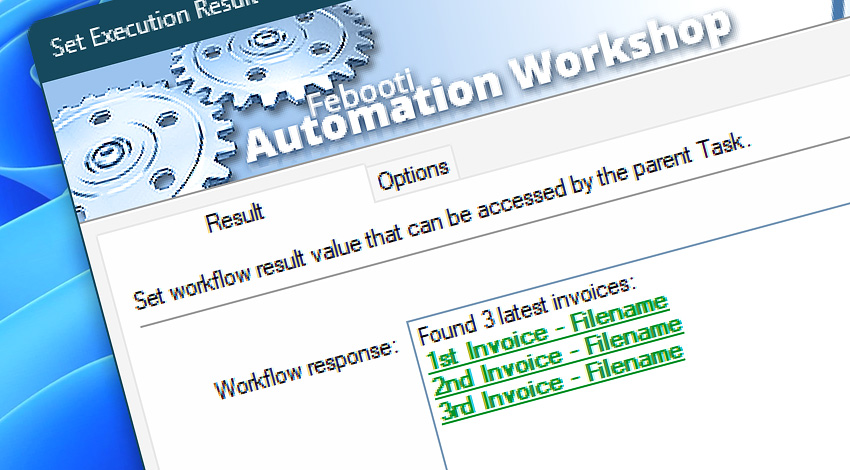
Automation Workshop includes the Set Execution Result Action that allows a Task to define and return a specific result value. This value can be accessed by another Task that called it using the Start Task Action, enabling Tasks to behave like functions in programming—with clear input and output logic.
Features & highlights
- Enables passing return values from a called Task to the calling Task.
- Allows for creating reusable helper Tasks with multiple Actions—eliminating the need to duplicate logic across Tasks.
- Supports Unicode text, numbers, and other data types.
- The Execution Result can contain any dynamic content, including variables or user-defined values.
- Result values are available immediately to the next Action in the calling Task.
- Can be used to control Task flow, conditional branching, or to report status messages.
- Makes nested Task structures more modular and reusable—similar to functions in programming.
Documentation
- Result · Provide a fixed or dynamic return value that is passed to the calling Task.
- Options · Set the Action state and custom display name, define automated error workarounds, and enable an option to log only critical errors.
Interconnect
- Set Execution Result integration—with Variables (manipulate data dynamically within a workflow) and Events (recorded entries that detail system activity).
- Streamline your automation processes by visually connecting your workflow using Variable Wizard—a powerful tool to access all 1,000+ variables—system, network, Triggers, Actions, globals, web, and much more…
Quick access
To streamline your workflow creation, you can locate the Set Execution Result Action throughout Automation Workshop's search tools—including the knowledge base, menu, and Add Action feature—using quick shortcuts like «ER» or «RES».
Discover
Automation Workshop includes many additional Triggers and numerous Actions to help automate repetitive computer or business tasks using state-of-the-art GUI tools.
Have a question?
If you have any questions, please do not hesitate to contact our support team.