
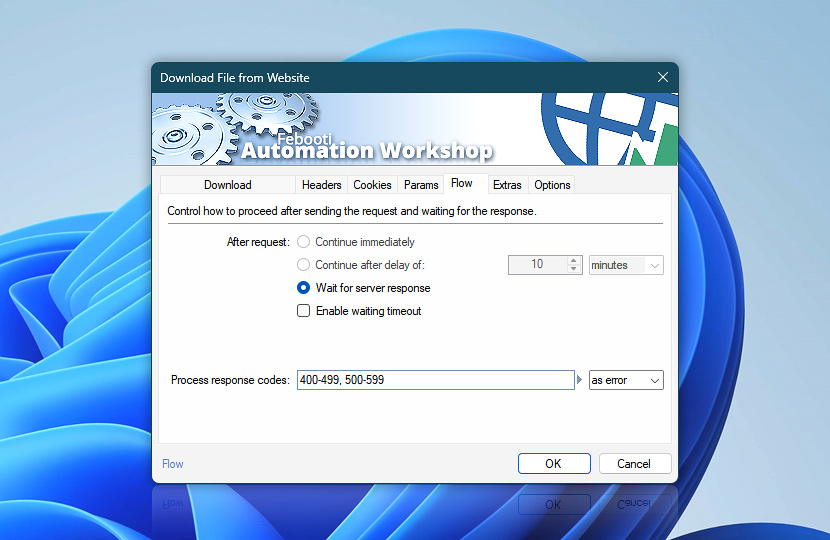
Define how the Download File from Website Action behaves when retrieving files from a remote server. Control whether execution continues immediately, waits for a response, or applies a delay depending on how the downloaded file is used in your workflow.
These settings also determine how response codes and timeouts are handled, helping ensure reliable downloads when working with protected resources, large files, or unstable network conditions · Flow handling explained
| Flow | Details |
|---|---|
| After request | After the Download File from Website Action sends a request, choose how the workflow should proceed:
Waiting is recommended when the file must be fully downloaded before further processing. Immediate continuation is suitable for background or non-critical downloads. |
| Enable waiting timeout | Optionally, to prevent an unintended workflow lockdown (in case the Download File from Website Action is waiting indefinitely), set the Do not wait longer than timeout value option and choose a procedure to perform when On timeout is reached… |
| On timeout | Choose behavior if the Download File from Website Action times out:
|
| Process response codes | Define how specific server response codes are handled during execution:
Handle HTTP response codes (such as 401, 403, or 404) based on how critical successful file retrieval is for your workflow. |
| Time units |  Define and set a time frame in your preferred format—be it milliseconds, seconds, minutes, hours, or days. Define and set a time frame in your preferred format—be it milliseconds, seconds, minutes, hours, or days. |
| Variable Wizard |  Use dynamic data input—substitute a parameter from a file, web, connected Trigger, other Actions, date and time presets, etc. Use dynamic data input—substitute a parameter from a file, web, connected Trigger, other Actions, date and time presets, etc. |
Note
- Currently, the Wait for server response option is the recommended and fully supported flow control option.
Still have a question?
If you have any questions, please do not hesitate to contact our support team.