
 By Matthew Adams 🕦 Updated on January 27, 2023 at 11:30 am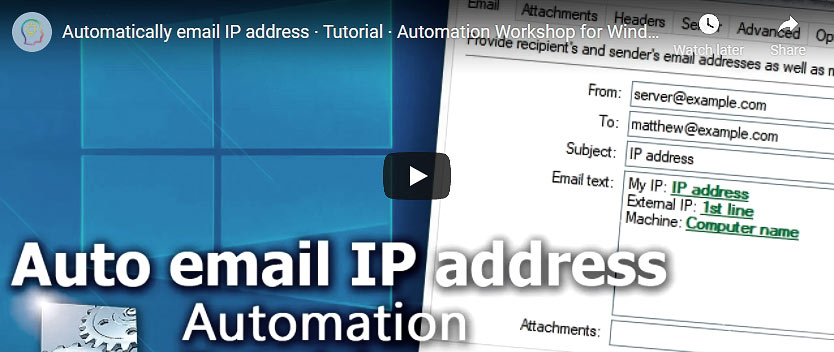
Sometimes it is necessary to know IP address of the computer. Especially so, if the computer has dynamic IP address that is subject to change once a while. This tutorial solves the problem by emailing computer's IP address once a day.
This technique can also be used to send an IP address and MAC address by email for newly provisioned virtual machine on startup using System Startup & Shutdown Trigger.
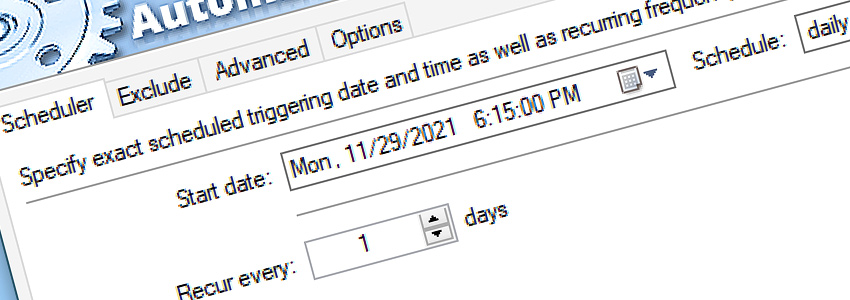
How to automatically send an email with IP address? First, create a Task. Add Task Scheduler Trigger and set it for daily scheduling with recurrence every 1 day.
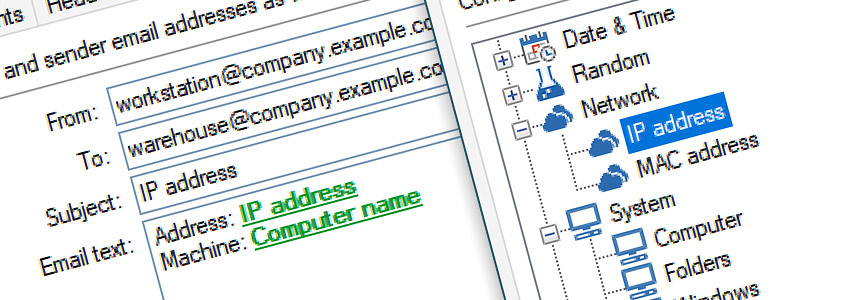
Add Send Email Action and fill all the necessary fields. Use Variable Wizard for Email text field and select IP address from Network category.
Summary
The Task will send an email with the IP address in its text once a day at the specified time (if computer is working) or, if scheduled launch was missed, right after computer is switched on.
- Task Scheduler
- Send Email
Have a question?
If you have any questions, please do not hesitate to contact our support team.