
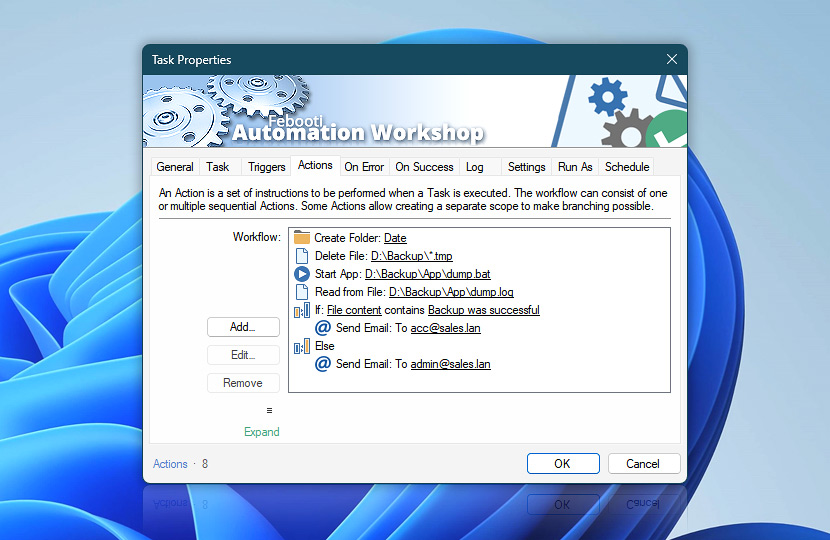
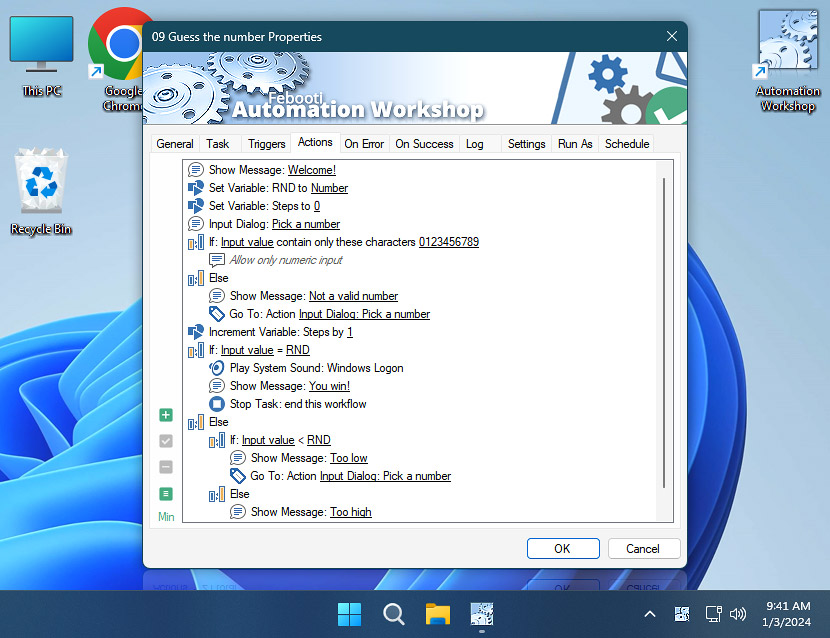
Actions are a set of instructions to be performed when a Task is executed, either manually or automatically. For Tasks designed for manual execution, it may be sufficient to specify an Action without a Trigger. When a Task includes multiple Actions, they are executed sequentially · Action flow
| Actions | Details |
|---|---|
| Workflow | Lists all workflow Actions. Adjust workflow visuals, such as variables, pathnames, and highlighting, via context menu. To further configure the workflow canvas for Actions that store variables directly:
For Actions using longer pathnames, you can make adjustments:
For larger Tasks, consider enabling interconnected Action highlighting and adjust the color theme:
Additionally, utilize the Adjust UI options to further fine-tune the entire canvas. |
| Indentation / order | You can rearrange the order of Actions by moving them up or down. Actions are executed sequentially; those positioned higher in the list are executed earlier. Moving an Action to the left or right alters its conditional scope or loop scope. If a workflow contains Actions placed in an invalid scope—like an Else Action without a preceding If Action, or multiple identical Labels—the conflicting Actions are accented (in pink). |
| Add | Add a new Action to the workflow. Choose from the complete list of Actions or select from your Favorites. |
| Edit | Edit the parameters of an existing Action. |
| Remove | Delete the selected Action. |
| ☰ Context menu | Instantly access the features for editing and adjusting Actions and the canvas. |
| View mode | Allow more space for displaying sequence of Actions.
|
| Help | Opens a context-sensitive online help. |
| Quick info | Displays brief information about the Action count and the currently selected Action. |
Pro tips…
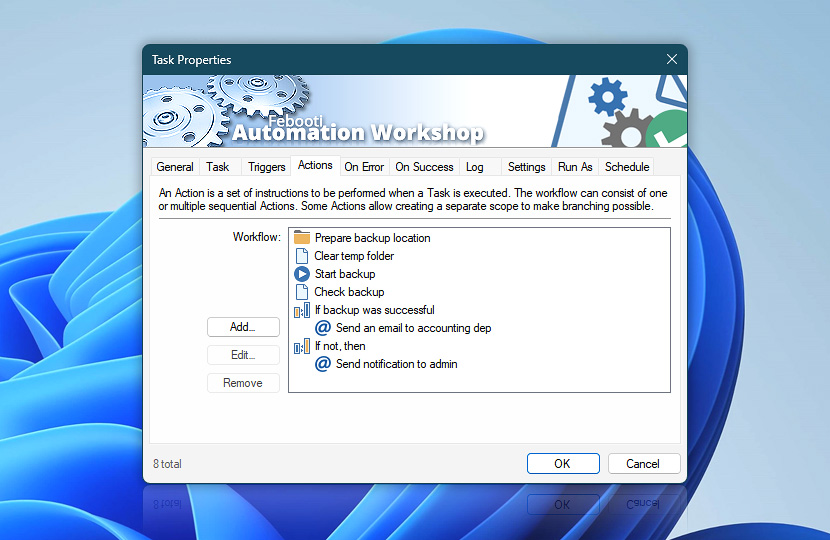
- To create human-readable workflows, utilize the Custom Display Name feature.
- Press F2 to instantly Add or Edit Actions, depending on the current selection.
- Use drag & drop to quickly rearrange or duplicate Actions (simply hold down the CTRL key).
Context menu?
Access additional commands like multi-copy/paste, editing, and Action highlighting settings by simply right-clicking to open the context menu. This menu offers a comprehensive range of commands specifically designed to optimize your interaction with convenient access to a variety of functions tailored to your current selection.
- Copy and paste a single Action or multiple Actions at once.
- Add, edit, enable, or disable Actions.
- Adjust workflow visuals, including instant variables and pathnames.
- Configure the Action highlighting with options like Light, Lighter, or Lightest.
- Show or hide UI elements such as the Context Menu, Display Mode, Help Shortcut, and Quick Information (for the selected Action).
Multi-copy
The multi-copy feature enables you to copy and paste multiple Actions within the same workflow or between different workflows. Simply select Actions you wish to copy. The indentation of Actions is maintained during the pasting process.
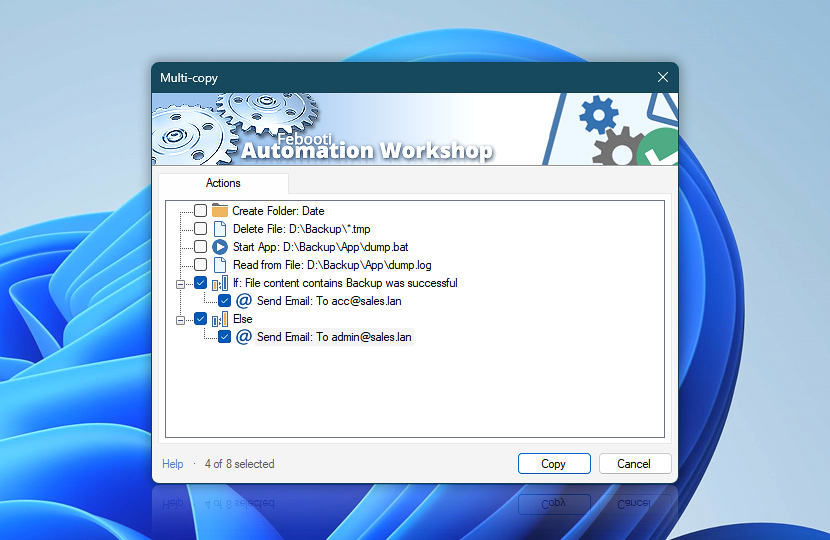
Rich keyboard shortcut options are available that mimic commonly used key combinations to quickly and effortlessly select (all, none, invert, etc.) Actions, such as CTRL+A, CTRL+N, and CTRL+I. Additionally, hold the SHIFT key while using mouse or navigation/directional keys (Up, Page Up, Home, Down, Page Down, etc.) to easily select multiple Actions.
Variables…
Direct variable assignments—display a small cue for Actions that store output into an extra variable. For example:
- Read from File: C:\Data\export.csv ⇒ Customers
Pathnames…
Compact pathnames—display long file paths in a condensed format. For instance:
- C:\My Documents\ … \Data\raw.csv
These adjustments are purely visual and are designed to enhance visual cues, aiding in a quick and enjoyable workflow creation and editing experience. The adjustments do not affect the workflow's execution in any way.
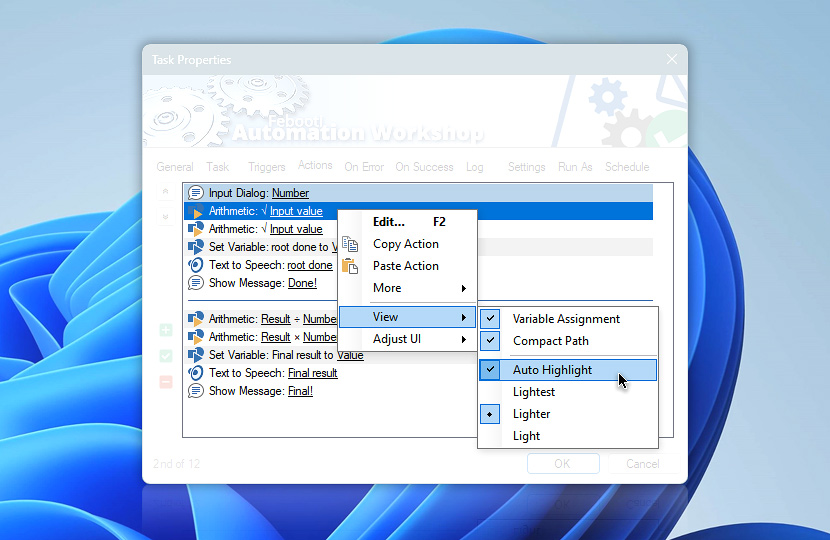
Auto highlight…
The related Actions highlighting greatly helps in your automated Task creation process. It is very easy to instantly spot the connected Actions while debugging or simply reviewing your workflows.
When making changes to a workflow or performing maintenance on a Task that contains 5+ Actions, auto-highlighting is automatically applied. Different shades are used to distinguish Actions that use variables from those and vice versa:
- Lightest
- Lighter
- Light
The interconnection highlighting option applies to all workflows. There are two accent colors—Aquamarine emphasizes directly accessed Actions (currently selected Action is using their values), and Pearly highlights successive Actions that are accessing output of the selected Action (is using the output of the currently selected Action).
Adjust UI
Adjusting the user interface of the workflow canvas allows you to customize your working experience in Automation Workshop.
Features you can enable include a context menu button for quick access to relevant features and options, a display mode switching link to alter the canvas size, a help shortcut for context-sensitive help, and quick information for an overview of the current workflow. Additionally, there is an extra-tiny option that displays quick information in a very compact format.
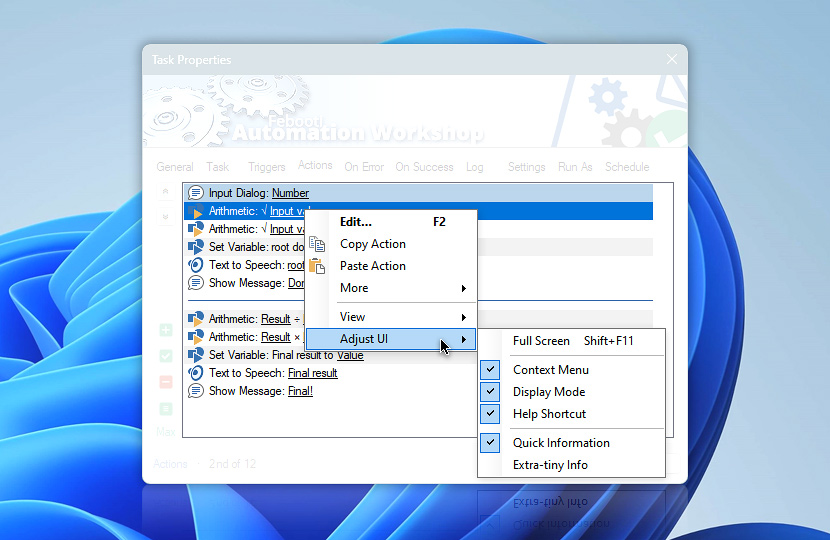
Context menu
Toggle to show or hide the Context menu button. Alternatively, access the menu anytime by right-clicking any Action. Or use ALT+M, SHIFT+F10, or ☰ Menu key.
Help
Context-sensitive online help—toggle to display or hide the Knowledge Base link.
Quick information
Quick Action information—requires 5+ Actions. View basic statistics (at the bottom of the workflow editing canvas) for the selected Action—order in the current workflow and total count. And additional info in the tooltip about this specific Action type when hovering the mouse over the info block.
Extra-tiny info—forces the workflow stats to be displayed in a super-compact format.
View modes…
Adjust the workflow editing canvas to allow more space for displaying the sequence of Actions. You can toggle between 4 view modes—Compact, Expanded, Extended, or Maximized. To switch between these modes quickly, use the F11 keyboard shortcut.
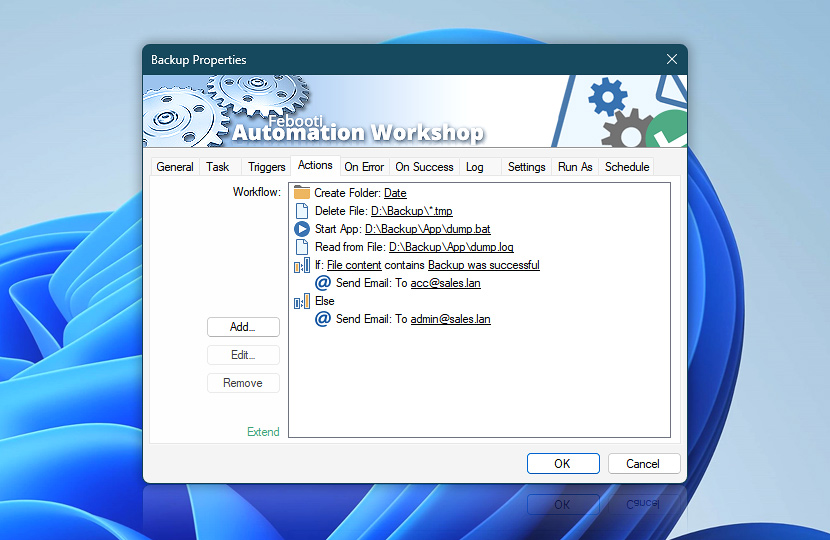
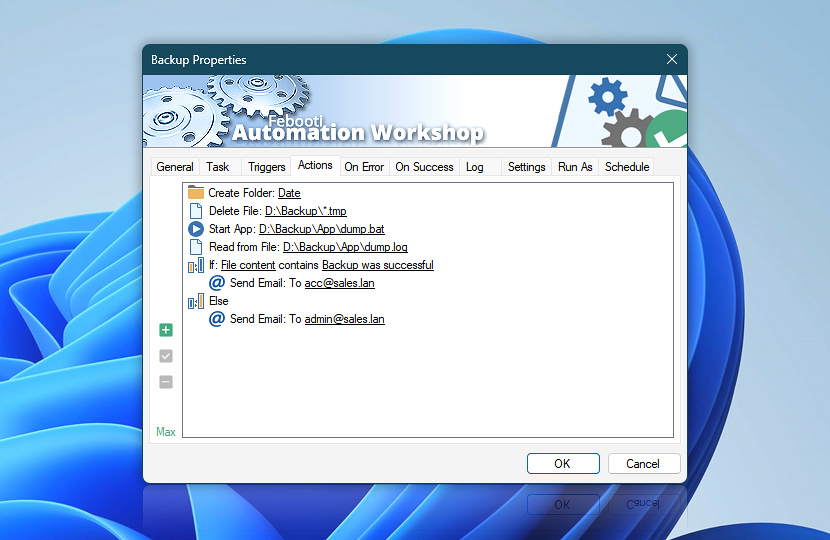
The Maximized view mode dynamically occupies the entire Desktop height (about 95%) and provides the largest canvas for all your Actions. Effortlessly create huge workflows!
The View mode settings are automatically applied upon opening the Task Properties. The Task Wizard always opens in the Compact view mode. However, the Maximized mode defaults to Extended unless you directly open the Actions tab via:
- Folder & Task Pane context menu · Edit Actions
- File menu · Properties · Actions
- Keyboard shortcut · CTRL+4
Just ask…
If you have any questions, please do not hesitate to contact our support team.