
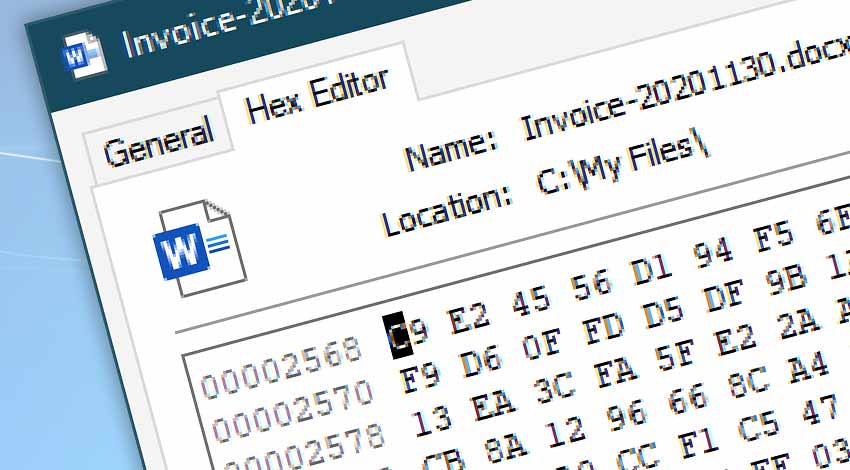
A simple freeware utility that allows to modify file binary content in both hexadecimal and ASCII modes. Fully integrated into Windows property pages, with full support for copy & paste, bookmarks, context menus, text search, shortcuts, and more.
Freeware HEX editor
Hex Editor allows to editing regions of file without affecting the layout of file or prevent "content shifting", thus giving a perfect control over data.
Hex Editor allows users to view and edit files, search for particular content or an address in the file, to replace any data, copy in a variety of data formats and more. It has an intuitive user interface, and is suitable for all HEX and ASCII editing needs. Multiple editors can be used, by opening multiple file Property windows.
Simple
- Standard commands—cut, copy, paste, delete.
- Extended commands—find, find next, copy as.
- Search both within HEX and ASCII content.
- Both insert and overwrite editing modes.
- Go to any HEX address instantly.
Awesome
- Effortlessly edit files sized up to 2GB.
- Be productive with keyboard shortcuts for all Hex Editor functions.
- Right mouse click opens the context menu to access all features.
- Completely free—including personal and commercial use. No restrictions.
Download now
- Hex Editor works both on 32 and 64-bit Windows editions.
- View release notes.
Help & feedback
- What do you think about Hex Editor? Good? Bad? Give us feedback!
- Need help? If you have any questions, please do not hesitate to contact our support team.