
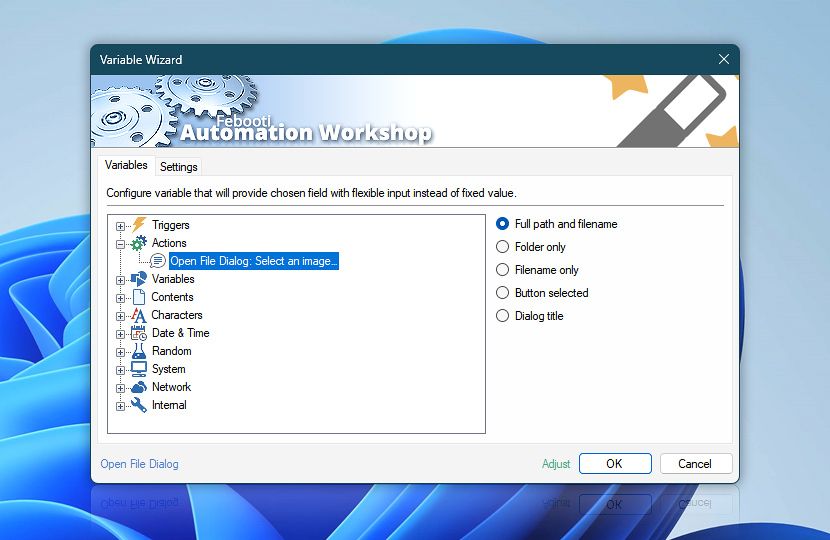
Upon completion, the Open File Dialog Action can output some data that can be used as input for specifying parameters of subsequent Actions. Open File Dialog Action opens a open file dialog window which requires user to specify path and filename.
The following Actions can be configured to perform operations with specified file which in contrary to predetermined file can always vary depending on user choice.
| Variable | Details |
|---|---|
| Full path and filename | Returns full path and name of the file specified by user in the open file dialog window.
Examples:
|
| Folder only | Returns the folder in which the user-specified file is located.
Examples:
|
| Filename only | Returns the name of the user-specified file without path.
Examples:
|
| Button selected | Returns the name of the button which was pressed in the open file dialog window.
Examples:
|
| Dialog title | Returns the title of the open file dialog window. |
| Completion status | Retrieve Action execution status with a possible value—Successful or Failed. Or Empty, if Action has not been executed yet. |
| Adjust | Streamline creation of Task workflows even further—instantly make quick variable adjustments such as in-place text replacement (all, first, or last), ensuring (starts, ends, or does not), trimming (whitespaces, quotes, etc.), or changing capitalization. Chain multiple adjustments. Optionally, set a different display name. |
Need assistance?
If you have any questions, please do not hesitate to contact our support team.