
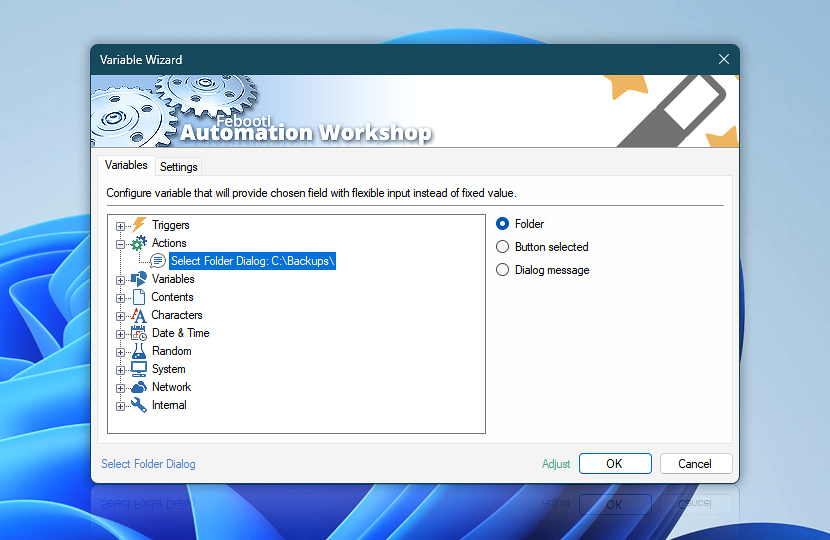
Select Folder Dialog Action requests user to specify a folder. The folder specified, operations performed by user as well as select folder dialog window parameters can be retrieved by other Actions within the same Task by using Variable Wizard.
| Variable | Details |
|---|---|
| Folder | Returns the name of selected folder.
Examples:
|
| Button selected | Returns the name of the button which was pressed in the select folder dialog window.
Examples:
|
| Dialog message | Returns the message text of the save file dialog window. |
| Completion status | Retrieve Action execution status with a possible value—Successful or Failed. Or Empty, if Action has not been executed yet. |
| Adjust | Streamline creation of Task workflows even further—instantly make quick variable adjustments such as in-place replacement (all, first, or last occurrence), trimming (whitespaces, quotes, etc.), or changing capitalization. Optionally, set a different display name. |
Need assistance?
If you have any questions, please do not hesitate to contact our support team.