
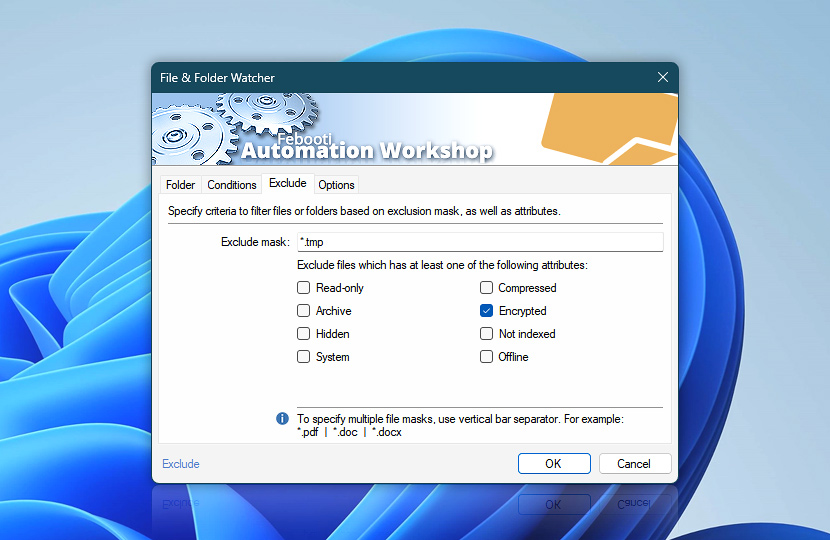
The Exclude tab enables precise specification of files and folders for monitoring by providing include and exclude masks, as well as attribute patterns.
| Exclude | Details |
|---|---|
| Exclude mask | An exclusion mask narrows the File & Folder Watcher Trigger activation range by overriding inclusion mask with the user specified exception rules. Files and folders whose names match the exclusion mask will not activate the Trigger. By default no files are excluded. Multiple exclusion masks must be separated by a | vertical bar character · Learn file masks and wildcards. |
| Attributes | Specifies that files and folders that have any of the attributes selected, will not activate the File & Folder Watcher Trigger. The attribute pattern can consist of the Read-only, Archive, Hidden, System, Compressed, Encrypted, Not indexed, and Offline attributes to configure the exclusion filter. |
Notes
- The exclude mask filter is applied to long file names, while both long and short (8.3) file names may be present in the file system.
- Not every file attribute is present in every file system. For instance, the encrypted and compressed file attributes may be enabled for NTFS, but FAT, FAT32, and exFAT do not support these attributes.
Still have a question?
If you have any questions, please do not hesitate to contact our support team.