
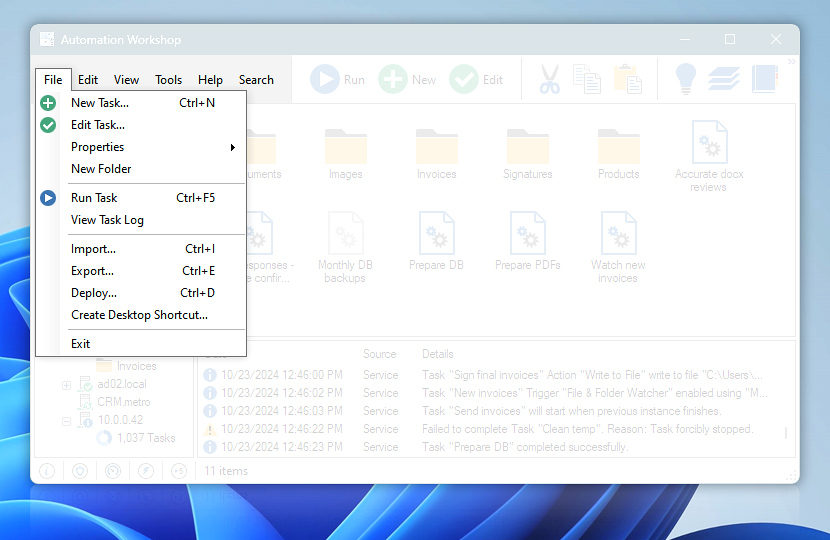
File menu gives user access to most Task creation, control and review features. Properties submenu provides direct access to particular Task configuration tabs.
| File menu | Details |
|---|---|
| New Task… | Opens Task Wizard that guides user through Task creation process. |
| Edit Task… | Opens Task Properties that contain all Task configuration options. |
| Properties | Allows quickly enabling or disabling the Task as well as provides direct access to all configuration options of the Task · API |
| New Folder | Creates new Task folder in Task folder tree. Folders are created as subfolders of selected folder. |
| Run Task | Executes Task immediately without waiting for Trigger activation. Note that if an Action within a Task takes values from Trigger, executing Action by Run Task command will return these values as blank · Run Task API |
| View Task Log | Shows all logged events associated with the selected Task. |
| Import… | Allows importing Task files from anywhere into the selected Task folder, thus facilitating deployment of Tasks created on other machines · Import API Use the Remote Manager to connect to multiple AW servers. Use the Push Task feature to deploy a Task to multiple machines at once. |
| Export… | Allows exporting one or multiple Tasks selected in Automation Workshop to specified folder on disk, thus facilitating the transfer of ready Tasks to another system · Details · Export API |
| Deploy… | Access the Remote Task deployment to push, run, enable, disable, or delete Tasks on remote servers. |
| Create Desktop Shortcut… | Creates a Desktop shortcut for selected Task for easy manual execution. |
| Exit | Quit only Automation Workshop user interface—the Service still keeps running in background. Triggers monitor the system and Actions are performed when specified, i.e., all automated Tasks remain fully functional. |
Exporting…
Exporting allows you to save a Task file on your Desktop folder or anywhere on disk. The exported Task file contains all its Triggers and Actions, as well as, all the settings & properties and Task statistics. It is possible to export multiple Tasks from one folder at once.
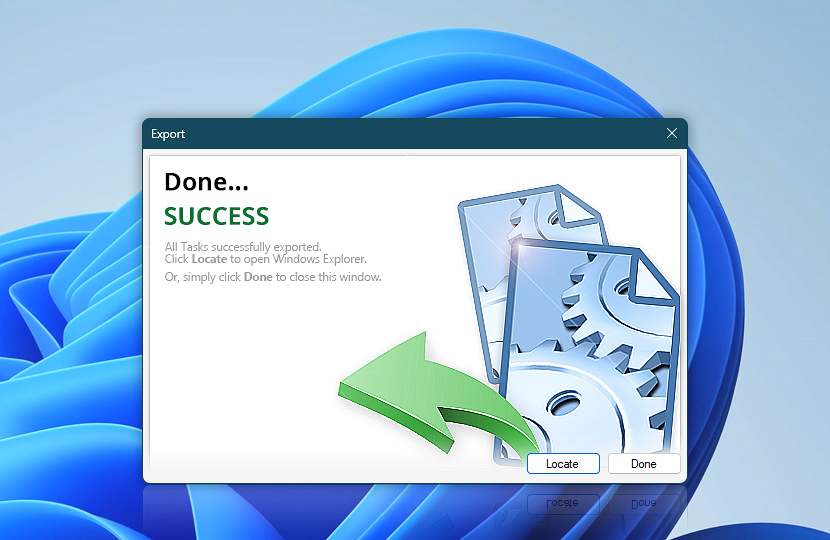
When a Task is exported and saved on disk, it can be transferred or emailed to another computer. An exported Task is ready to be imported into any Automation Workshop using the Import Task feature. For mass deployment of multiple Tasks to numerous workstations or servers, the Remote deployment feature comes in handy.
Need assistance?
If you have any questions, please do not hesitate to contact our support team.