
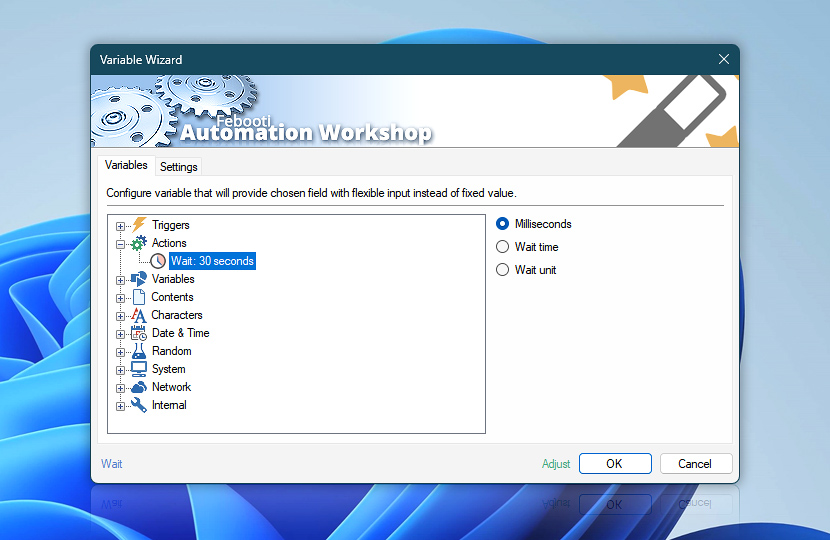
In the Tasks with multiple Actions, the output values of already performed Actions can be used to provide subsequent Actions with input parameters to determine their operations. After pausing the Task for specified amount of time, relevant data values concerning the execution of Wait Action are made accessible through Variable Wizard.
| Variable | Details |
|---|---|
| Milliseconds | Always returns the delay time in milliseconds.
Examples:
|
| Wait time | Returns the wait time in the same units as specified in Wait Action settings.
Examples:
|
| Wait unit | Returns the name of time units that are specified in Wait Action settings.
Examples:
|
| Completion status | Retrieve Action execution status with a possible value—Successful or Failed. Or Empty, if Action has not been executed yet. |
| Adjust | Streamline creation of Task workflows even further—instantly make quick variable adjustments such as in-place replacement (all, first, or last occurrence), trimming (whitespaces, quotes, etc.), or changing capitalization. Optionally, set a different display name. |
Help at your fingertips…
If you have any questions, please do not hesitate to contact our support team.