
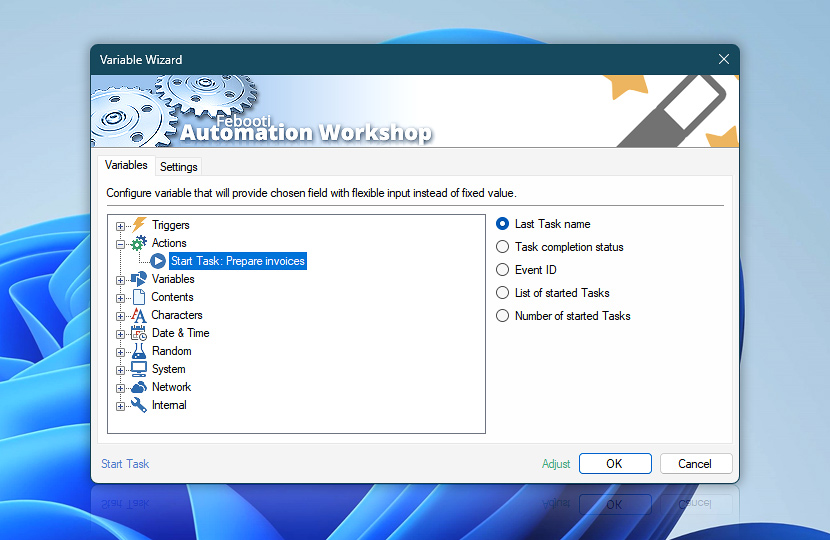
When Start Task Action completes, some relevant Task execution data can be retrieved by following Actions using Variable Wizard. Thus, it is possible to tell next Actions to base their operations on the outcome of started Tasks.
| Variable | Details |
|---|---|
| Last Task name | Returns the name of the last Task that was started by Start Task Action.
Examples:
|
| Task completion status | Returns the completion status (i.e., successful or failed) of all executed Tasks in the same order these Tasks are listed in List of started Tasks variable.
Examples:
|
| Event ID | Returns all involved Event ID values. The Events can only be accessed when the Task has completed its execution.
Examples:
|
| List of started Tasks | Returns the list of all started Tasks with their location. The order of listed Tasks corresponds to their successful and failed values provided by Task completion status variable.
Examples:
|
| Number of started Tasks | Returns numerical value indicating how many Tasks were started.
Examples:
|
| Completion status | Retrieve Action execution status with a possible value—Successful or Failed. Or Empty, if Action has not been executed yet. |
| Adjust* | Streamline creation of Task workflows even further—instantly make quick variable adjustments such as in-place replacement (all, first, or last occurrence), trimming (whitespaces, quotes, etc.), or changing capitalization. Optionally, set a different display name. |
Automatic list processing…
The Start Task variables returned as lists (even multi-level) can be automatically processed in further Actions. Use the For Each Action to parse a given text string (any list variable) and sequentially retrieve its elements one by one · see list processing examples. Or, use the Split Text and Lookup Text Actions to access list elements by their indices.
Help at your fingertips…
If you have any questions, please do not hesitate to contact our support team.