
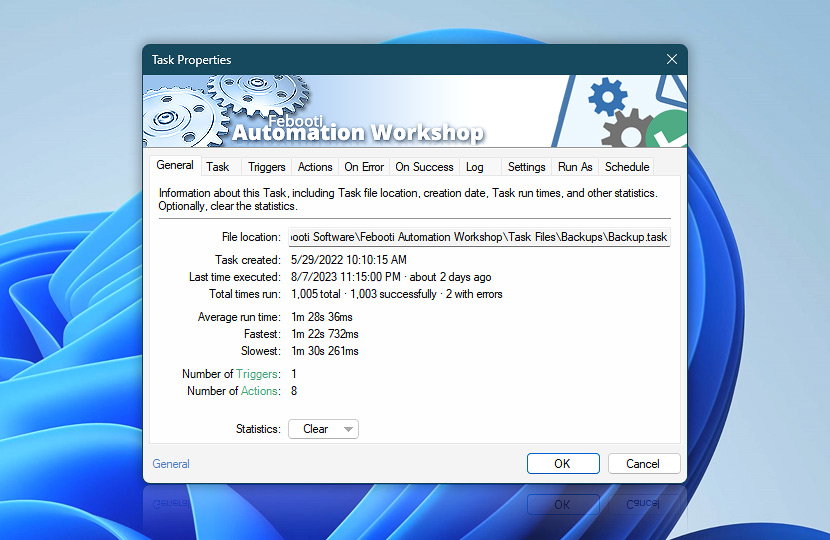
General properties tab displays basic information and various statistical data. Depending on Task architecture, fastest and slowest execution times as well as successful and erroneous completion ratio may provide insight on the Task performance.
| General | Details |
|---|---|
| File location | The exact location and file name of task file. |
| Task created | Task file creation date and time. |
| Last time executed | Date and time of the most recent task execution. |
| Total times run | Displays the total number of task execution as well as the number of successful and failed runs. |
| Average run time | The average amount of time used to finish the Task. It is used in the Queue Manager to display the Estimated time remaining for currently running Tasks. In case of sudden Task slowdowns, the Historical average run time is displayed instead. |
| Fastest | The quickest Task execution time. |
| Slowest | The slowest Task execution time. |
| Number of Triggers | The number of Triggers used in the Task. |
| Number of Actions | The number of Actions used in the Task. |
| Statistics | Clear statistics (for this Task only).
Click OK to apply changes. |
Note
- Task run time (average, fastest and slowest) statistics calculations are based only on successful Task completions · Task's state explained
Remote…
Use the Remote Task Properties to overview Task execution dates and performance statistics of remote Tasks.
Assistance is here…
If you have any questions, please do not hesitate to contact our support team.