
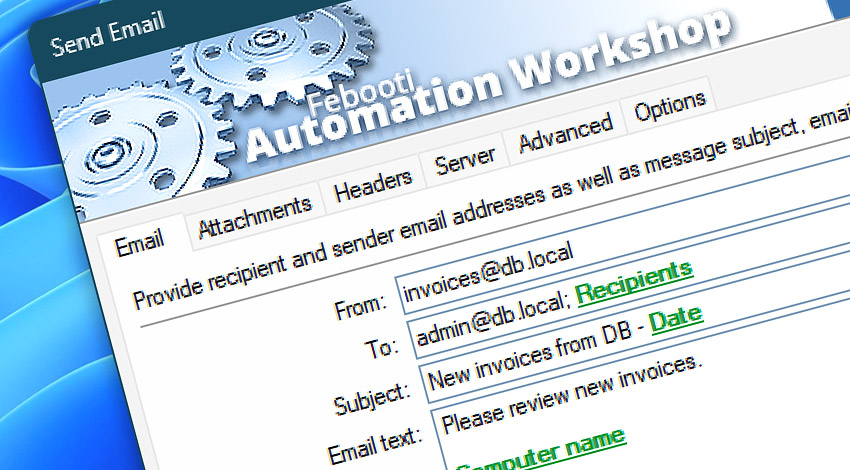
Automation Workshop includes the Send Email Action—a full featured mail tool for all your email sending needs. For flexible automatic email sending, define parameters using dynamic or fixed values, as well as variables provided by a Trigger or other Action.
Features & highlights
- A wide range of authentication types (NTLM, CRAM-MD5, LOGIN, and PLAIN) with automatic authentication selection.
- Flexible email composing with the Unicode encoding, format (Plain text, HTML, or EML), and email confirmation options.
- Task specific SMTP server selection with a secure SSL and TLS encryption scheme to provide maximum security.
- Powerful and feature-rich file attachment management with file mask & wildcard support.
- Effective and easy message verification with the advanced logging options.
- Send auto-emails when a new file appears, a user logs on, a user clicks on a Desktop shortcut, when a file size or count reaches a certain amount, etc.
- No code is needed! Automation Workshop is a point-and-click tool where automatic email sending is achieved without writing a single line of code.
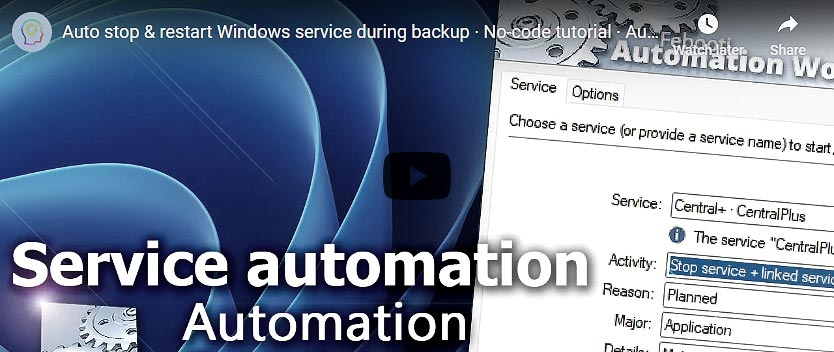
Usage examples
- When a new file appears in the remote FTP, SFTP, WebDAV, Amazon S3, Google Cloud Storage, and DigitalOcean Spaces server, the file can be downloaded automatically, and the Send Email Action can send the file as attachment.
- Remote directory listing from SFTP server or Amazon S3 bucket can be sent as email body regularly, as specified in the built-in Task Scheduler Trigger.
- Files can be managed on the remote server using Upload, Download, Delete, Synchronize files Actions, and report of such activities sent by email on daily, weekly, or custom schedule.
- Schedule recurring and automatic mail jobs at specified date and time.
- Send scheduled emails every few minutes, hours, days, or months (with exclude filters).
- Set a schedule and recurrence for automatic emailing on a pre-setup schedule basis.
- Send custom emails upon any changes (new, modified, deleted) in monitored folders on local or network drives.
Documentation
- Email · Enter the From, To, Subject, Email text, and Attachment fields.
- Attachments · Manage additional attachments in an easy way.
- Headers · Provide carbon copy and blind carbon copy recipients; specify a Reply-to address; set organization and configure custom email headers.
- Server · Choose either default SMTP server or configure parameters for the specific Task. Alternatively, use the Email Setup Wizard to auto-fill all SMTP server settings.
- Advanced · Enable client and server communication logging; choose .EML file creation instead of direct sending; set alternate text for HTML incapable email clients.
- Options · Choose message format (plain text, HTML, or EML), set confirmation options, enable individual email sending to multiple recipients as well as email verification and preparation between sending.
Interconnect
- Dynamic variables & Events of the Send Email.
- Streamline automation processes by connecting Triggers and Actions using Variable Wizard.
Tutorials
- Watch files using File Watcher and send as email attachments.
- Log and email Windows user login history.
- Simple batch file replacement—send email with all jpg files.
- Use Task Scheduler to ping server and automatically an send email reports.
- Send email and automatically delete or move files.
- Send Email · Synchronize files between local folder and remote SFTP server.
Popular SMTP settings
Discover
Automation Workshop includes many more awesome Triggers and numerous Actions to aid you to automate any repetitive computer or business task by providing state-of-the-art GUI tools.
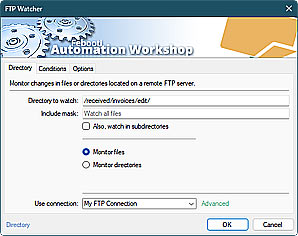
FTP Watcher
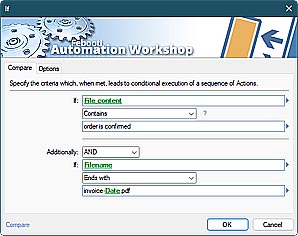
Compare
Just ask…
If you have any questions, please do not hesitate to contact our support team.