
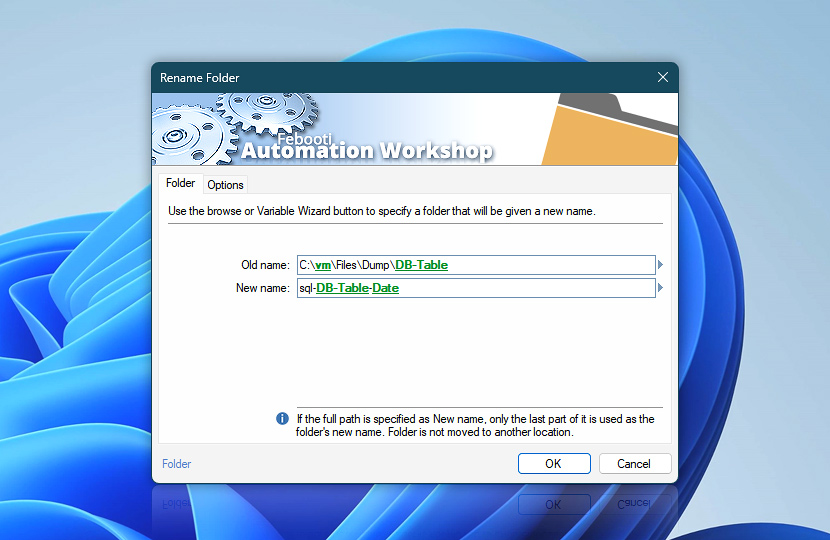
Specify folder to be renamed. Folder name input supports variables that can be used either separately or in various combinations.
| Folder | Details |
|---|---|
| Old name | Specify folder to rename. Available options include providing full path and filename. If path is not specified, Action is performed in current folder. |
| New name | Specify new name for folder being renamed. Rename Folder Action does not move or copy folders to another location; if full path is specified in New name input, only a part related to folder name will be used. |
| Browse |  Use Browse to select a particular file or folder on local disk, network share on LAN (local area network), etc. Use Browse to select a particular file or folder on local disk, network share on LAN (local area network), etc. |
| Variable Wizard |  Use dynamic data input—substitute a parameter from a file, web, connected Trigger, other Actions, date and time presets, etc. Use dynamic data input—substitute a parameter from a file, web, connected Trigger, other Actions, date and time presets, etc. |
Interconnect
- Dynamic variables & Events of the Rename Folder. Access the variables holding the folder previous and new names (including their full paths). Additionally, events signaling successful or unsuccessful folder renaming are logged.
Note
- Automation Workshop supports Unicode file names and a path of up to 32,000 characters.
Need assistance?
If you have any questions, please do not hesitate to contact our support team.